
Introduction
Get oriented to PayMongo's Account & Settings — account setup, capabilities, team management, security, billing, and troubleshooting.
The Account & Settings section covers everything you need to manage your PayMongo merchant account — from initial setup and activation through day-to-day operations like team management, security, and billing. The same pages work for first-time users and ongoing account management.
This section includes:
- Account setup — Account types, verification requirements, and activation steps
- Account capabilities — What features your account unlocks based on verification status
- Linked accounts — Creating and managing linked accounts either as a Parent or Child. Previously referred as Platform. This is also used for Onboarding-as-a-Service.
- Team & roles — Managing team members and role-based permissions
- Security — API keys, multi-factor authentication, and security logs
- Billing — Fees, invoices, and BIR tax compliance
- Troubleshooting — Common issues and solutions
For the section's terms and concepts, see Key concepts.
Who this section is for
New to PayMongo
If you're just getting started:
- Start here: Account setup — Understand the account types and choose the right one
- Next: Account capabilities — Learn what features unlock at each activation stage
- Then: Team & roles — Add team members and set permissions as you grow
Already have an account
Jump directly to what you need:
- Understanding my account capabilities? → Account capabilities
- Managing your team? → Team & roles
- Securing your account? → Security
- Checking invoices or fees? → Billing
- Stuck on something? → Troubleshooting
What you'll find in this section
Account setup
Learn how to create and activate your PayMongo account. Covers account types, eligibility, and the step-by-step activation process.
Account capabilities
Understand what payment methods, wallet types, and features are available based on your account's activation and verification status.
Linked accounts
For platforms and marketplaces: create and manage child accounts programmatically using the Accounts API. Track parent-child relationships and account provisioning.
Team & roles
Invite team members to your PayMongo account and assign role-based permissions. Manage who can access sensitive areas like API keys and payout settings.
Security
Protect your account with API keys, mandatory MFA, and security logs. Rotate compromised keys, review login history, and audit sensitive actions.
Billing
View invoices, understand PayMongo's fee structure, and manage BIR (Bureau of Internal Revenue) tax compliance in the Philippines.
Troubleshooting
Common questions and solutions for account management, activation delays, identity verification, and other gotchas.
Account & Settings in the dashboard
All Account & Settings features are accessible from the Settings menu in the PayMongo dashboard.
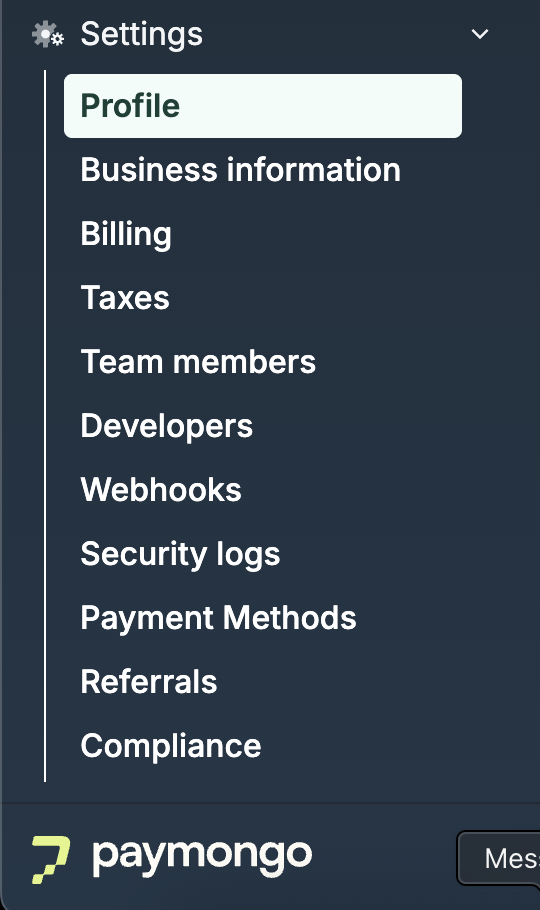
PayMongo dashboard Settings sidebar, showing Account, Team, Security, and Billing menu items
The documentation in this section mirrors the structure of the dashboard, so you can find both the docs and the UI controls in the same place.
Getting help
If you can't find what you need:
- Check the Troubleshooting section for common issues
- Review the FAQ within each page
- Contact PayMongo support at [email protected]
Updated about 3 hours ago