
Security logs
Audit trail of login events, API key access, profile changes, and other sensitive actions on your PayMongo account.
Security logs are an audit trail of sensitive actions performed on your account. They track login events, API key access, and account changes, helping you detect unauthorized activity and maintain compliance.
What security logs capture
Security logs capture the following events:
| Event Type | Description | Example |
|---|---|---|
| Login | Successful logins to the dashboard | When/where you logged in; device type; IP address |
| API key access | When you viewed or regenerated an API key | Timestamp; which key was viewed/regenerated |
| Account settings changes | Changes to profile information | Email changed from A to B; phone number updated |
| Payout account updates | Changes to your bank account for payouts | Bank details modified |
| KYC/KYB document changes | Updates to identity or business verification documents | Document resubmitted; verification status changed |
How to access security logs
- Log in to the PayMongo dashboard
- Navigate to Settings → Security (or Account → Security Logs)
- You'll see a chronological list of recent events
- Each entry shows: timestamp, event type, user who performed the action, and relevant details (IP, device, etc.)
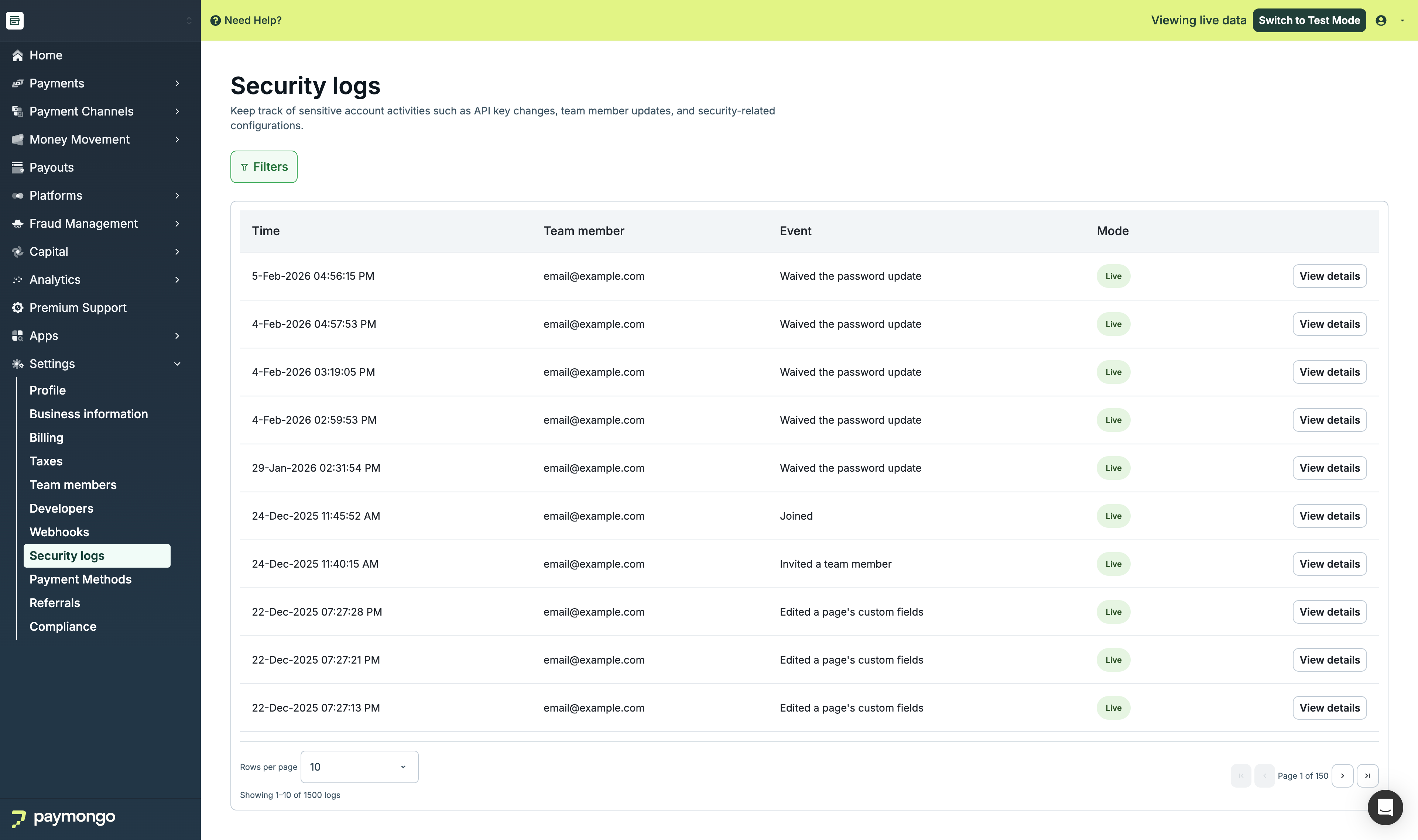
Security Logs page showing a list of login and API key access events
Downloading security logs
- Look for a Download or Export as CSV button on the Security Logs page
- Click to download a CSV file of all logged events
- Use this file for compliance reviews, audits, or investigations
Interpreting log entries
Each security log entry includes:
- Timestamp — Date and time the event occurred (in your local timezone)
- Event type — What happened (Login, API Key Viewed, etc.)
- User — The account owner or team member who performed the action
- Device / IP — For login events: browser/OS and IP address of the login
- Details — Additional context (which API key, what changed, etc.)
Example:
2024-04-22 14:32:15 | Login | Alice Merchant | Safari on macOS | IP: 203.0.113.45
2024-04-22 14:35:02 | API Key Viewed | Alice Merchant | Secret Key | Requested
2024-04-22 15:10:00 | Payout Account Updated | Alice Merchant | Bank account changed
Known limitations
Important: Not all account configuration changes are captured in security logs. Specifically:
- Changes made via internal API calls (outside the dashboard UI) may not appear in security logs
- Some backend configuration changes may not be logged
PayMongo is actively working to improve audit log coverage. Until then, if you need a complete audit trail for compliance or investigate unusual activity, contact [email protected].
How PayMongo handles security log requests
PayMongo does not proactively release security logs to third parties or regulators on your behalf. You can export logs from the dashboard and share them yourself when needed.
Suspected compromise
If you notice unusual login activity or believe your account has been compromised:
- Change your password immediately
- Check security logs for unfamiliar logins or API key access
- Regenerate your API keys if necessary
- Contact PayMongo support at [email protected] to report the incident
- Support will investigate and may require additional identity verification
For regulatory or compliance audits
If you need to provide security logs to regulators, auditors, or legal teams:
- You can download logs from the dashboard and share them directly
- For assistance with special requests or extended history, contact [email protected]
Next steps
- API Keys — Generate and manage your API keys securely
- Multi-Factor Authentication — Secure your dashboard access with MFA
- Account Setup — Create and activate your PayMongo account
Updated about 4 hours ago