
Account Upgrade
Steps to Sign-up and eventually upgrade your PayMongo account to unlock the potential of accepting and managing payments
Upgrading your PayMongo account is the first step toward accepting payments, managing transactions and funding your business. Understand the different types of accounts in Product and Account Types
Basic Account
Accept payments via QR Ph; Transfer funds between PayMongo Wallets; Access API Keys and Storefront
Standard Wallet Accout
Access InstaPay & PESONet Transfers and unlock Higher Wallet limits & Faster Settlements
Fully Verified Account
Access all payment methods: cards, e-wallets, online banking, BNPL; Access Capital and PayMongo Protect
Upgrading from Basic Account to Standard Wallet Account
- Login to your PayMongo account.
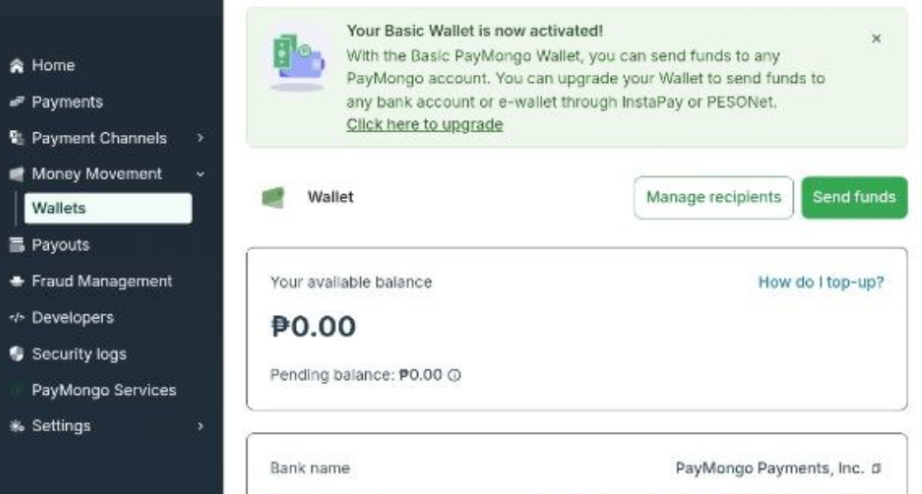
- Navigate to the Wallets section under Money movement and select Click here to upgrade.
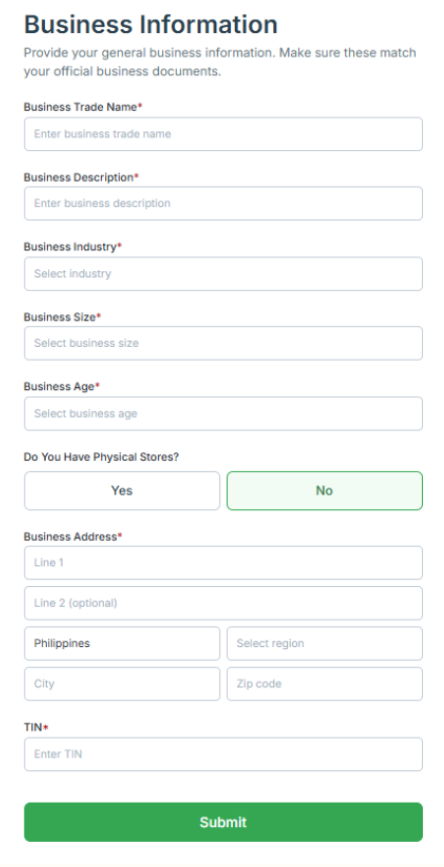
- Fill in the requested details in the following pages.
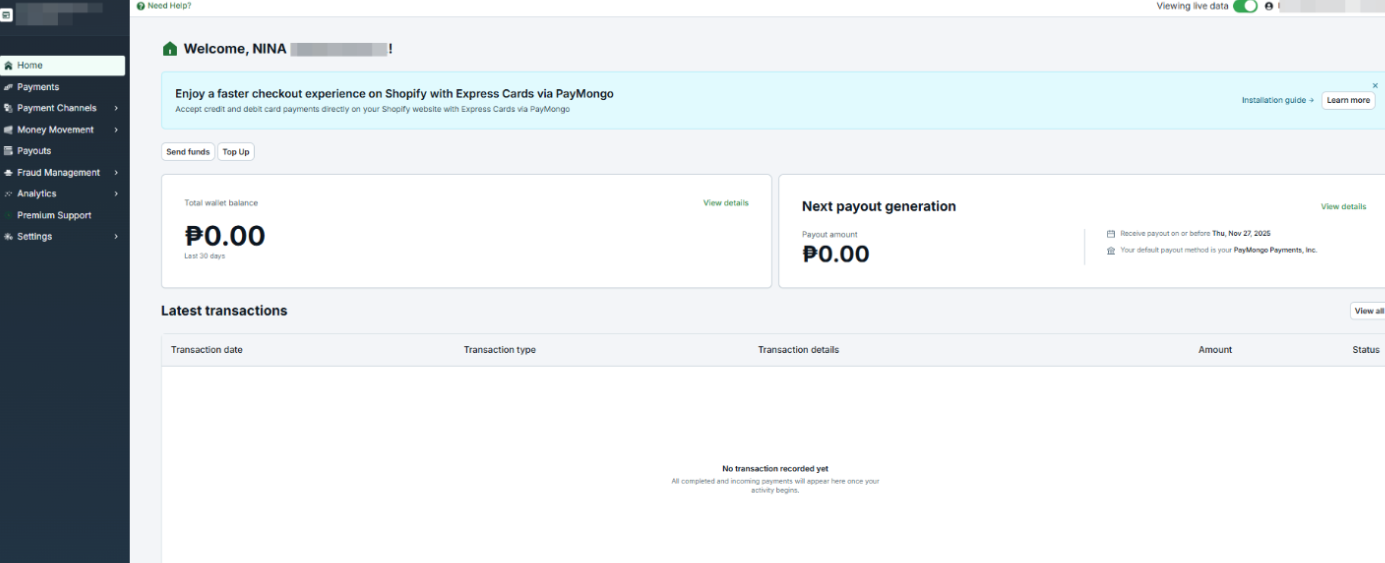
- You'll be rerouted to your PayMongo Dashboard.
Upgrade Progress
You’ll know the status of your Standard Wallet application by navigating back to the Wallets tab
Basic Wallet
- If the first submission of Liveness Check failed or did not pass thresholds, you’ll be provisioned with a Basic Wallet while waiting for the manual review of your wallet upgrade submission. This typically takes 1-3 business days.
- You’ll still be able to accept QRPH payments, top-up, and send to other PayMongo Wallet.

Standard Wallet
- If the first submission of Liveness Check passed, you’ll automatically have a Standard wallet.

Re-verify
In the case your Liveness Check failed and needs to be performed again, you’ll see this banner in your PayMongo home page. Please make sure to perform it again in order to unlock your PayMongo Standard Wallet.

Upgrading to a Fully Verified Account
A Fully Verified Account gives you more Payment Method options, Capital, and PayMongo Protect
- Login to your PayMongo account.
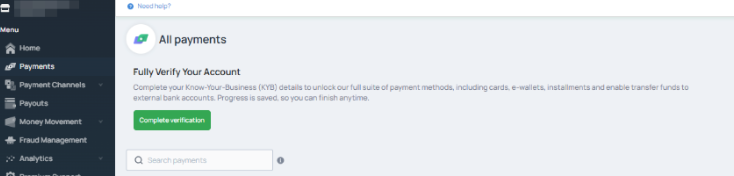
- Navigate to Payments tab in the side panel. Click on Complete Verification.
- Submit the required documents based on the business account selected. Business Document Requirements
Account Review PeriodOur Onboarding Team will review your submission within 7 business days after all required documents are received.
Account Review Status NotificationYou’ll receive an email once your account is approved and upgraded to Fully Verified Account, or if there are clarifications or missing documents.
Updated 3 days ago