
Account Creation & Management
Create your PayMongo account and begin learning how our solutions can benefit your business
Creating a PayMongo account is the first step toward unlocking financial solutions that will help in growing your business.
Before getting started, it’s important to understand the Terminologies in your PayMongo account and what you can do.
Activation Status
Your activation status determines where you are in the sign-up process.
You started the sign-up process but have not yet completed it. Note that you need to perform a liveness check with a Selfie and an ID ready.
You’ve completed the sign-up process and have access to the dashboard
Business Type
Upon activation, your Business Type is set as an Unregistered Business (Individual)
- You have an option to Upgrade your Business Type to a Registered Business such as Sole Proprietorship, Partnership, OPC, or Corporation. Supported Business Types
- An Upgraded business type enables you to get access to more Payment methods, Increased wallet limits, and Functionalities (e.g. Capital)
Wallet
Upon activation, you are automatically provisioned a PayMongo Wallet. The result of your liveness check determines if it’s a Closed-Loop Wallet or an Enabled Wallet.
- Your liveness check requires additional verification or needs to be performed again.
- Closed-Loop Wallet allows you to manage and send funds to other PayMongo wallets.
- Your liveness check passed
- An Enabled Wallet allows you to manage and send funds to other banks and e-wallets.
Payment Method Request
Upon activation, you already have access to QRPH as a payment method.
- If you wish to access more payment methods, you can make a request to configure your preferred payment methods by navigating to your Settings Side panel > Payment Methods. See the Requesting a Payment Method section for more information.
- Make sure that you have an Enabled Wallet first before requesting for Payment Methods. If you still have a Closed-loop wallet, you'll be asked to upgrade your wallet.
- Note that Payment Method Eligibility is dependent on the Business type of your Account. Check out the Payment Method Eligibility Matrix here
Creating your own account
Create your account and unlock the benefits of PayMongo for your business.
Follow these 3 steps to create your PayMongo Account:
-
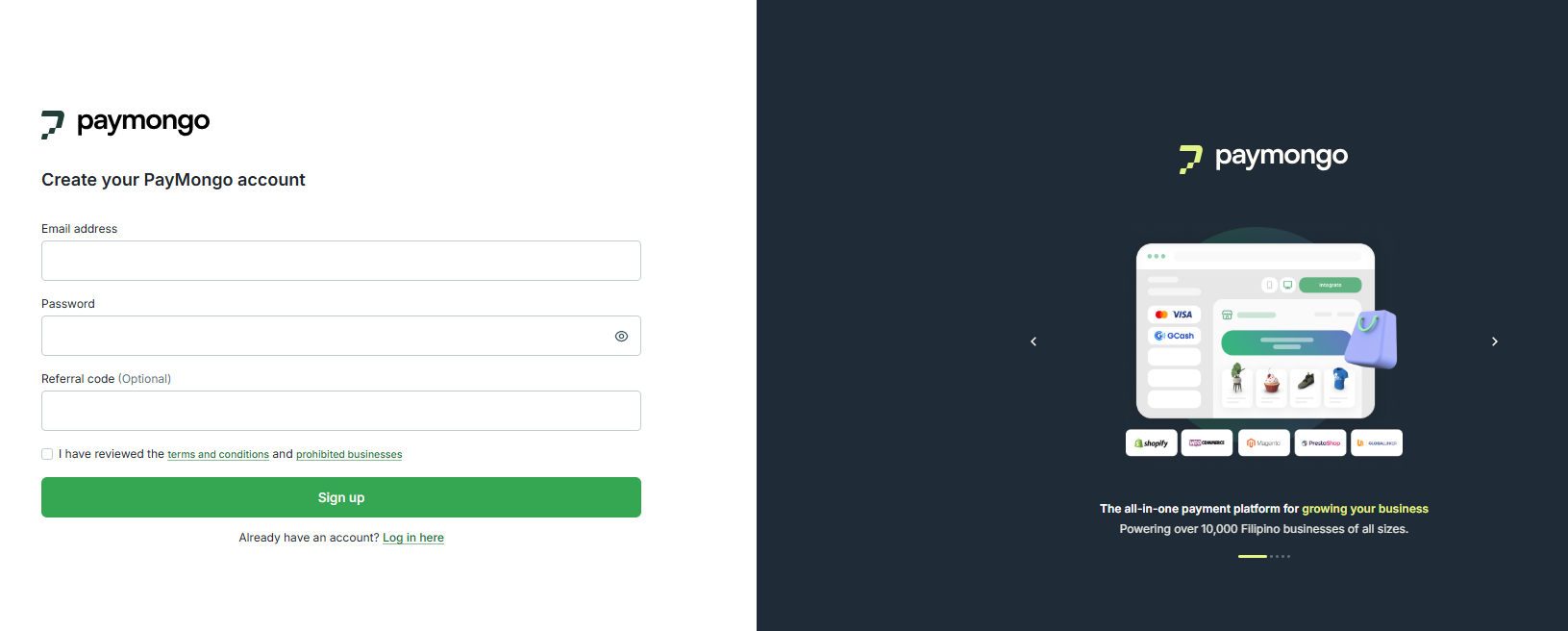
Sign up using a valid email address.
-
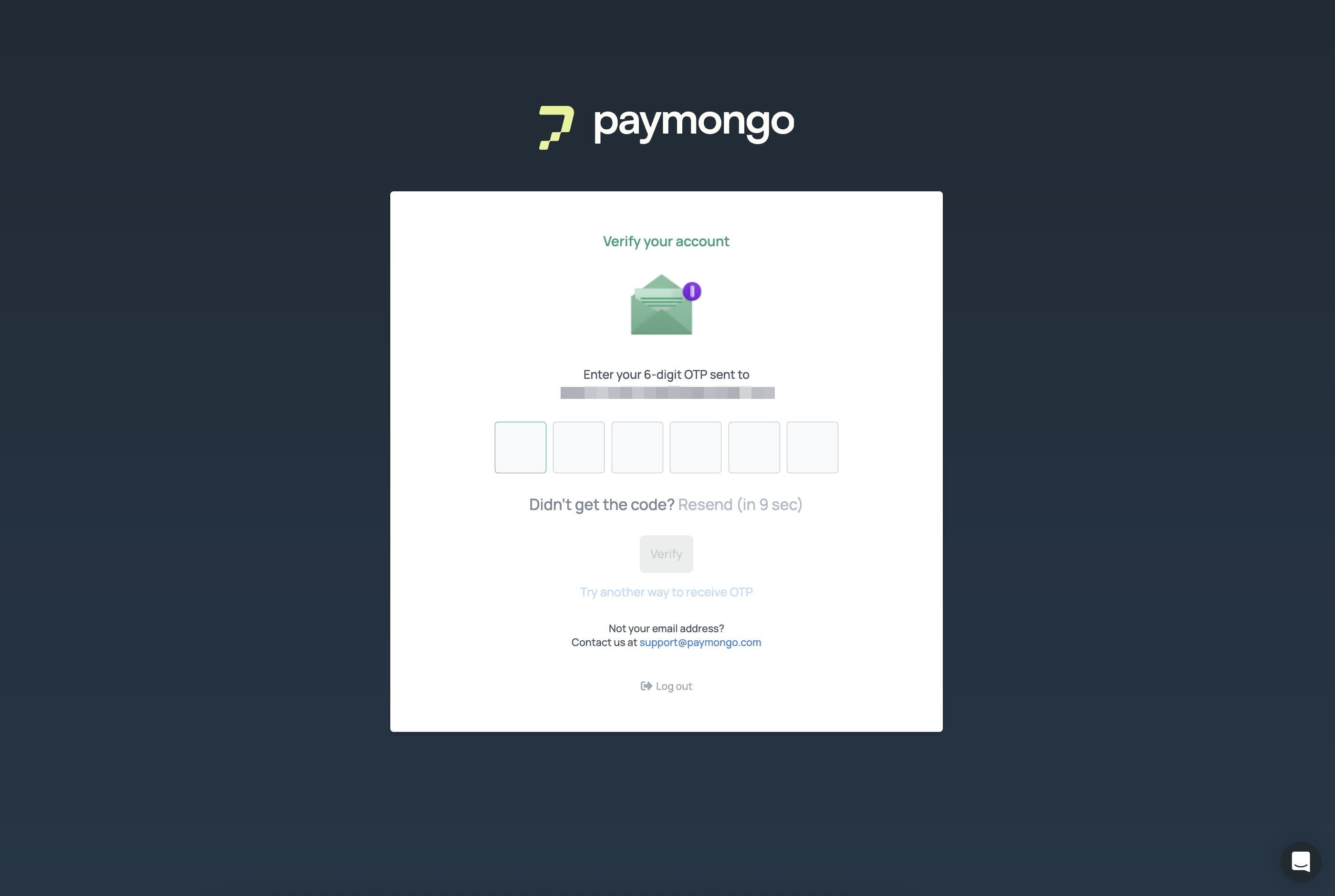
Verify your email address using an OTP sent to your email.
-
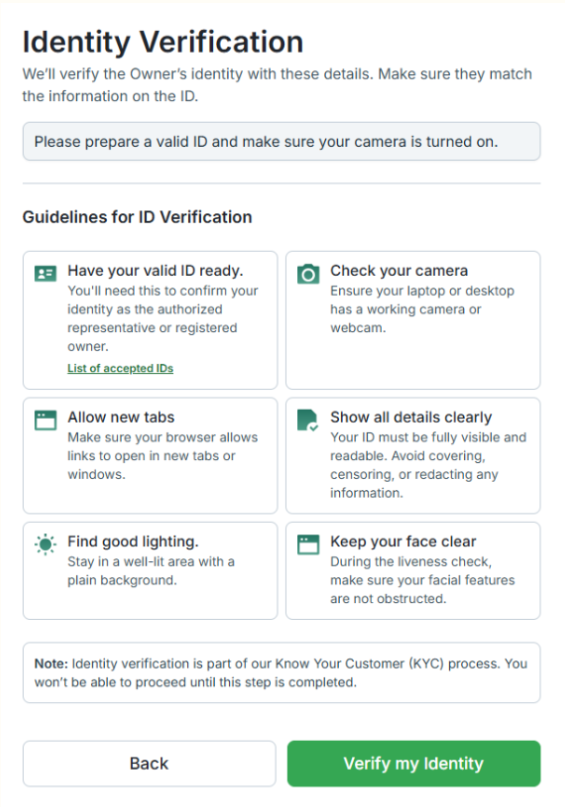
Click on Verify my Identity and proceed with your Identity Verification. After ID submission, you'll be asked to confirm the captured information.
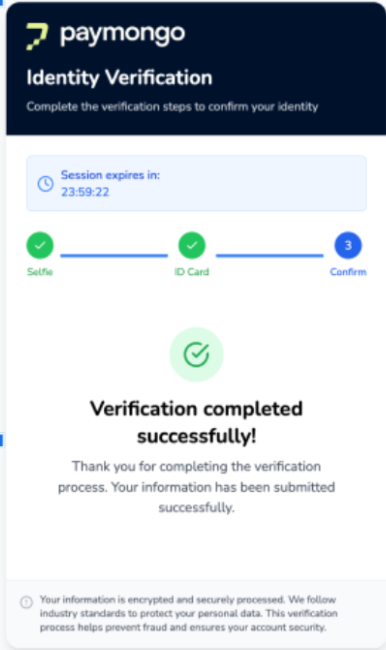
- After confirming, you'll be notified of successful capture. Navigate back to PayMongo in the browser tab if you were not redirected automatically after completing the Verification process.
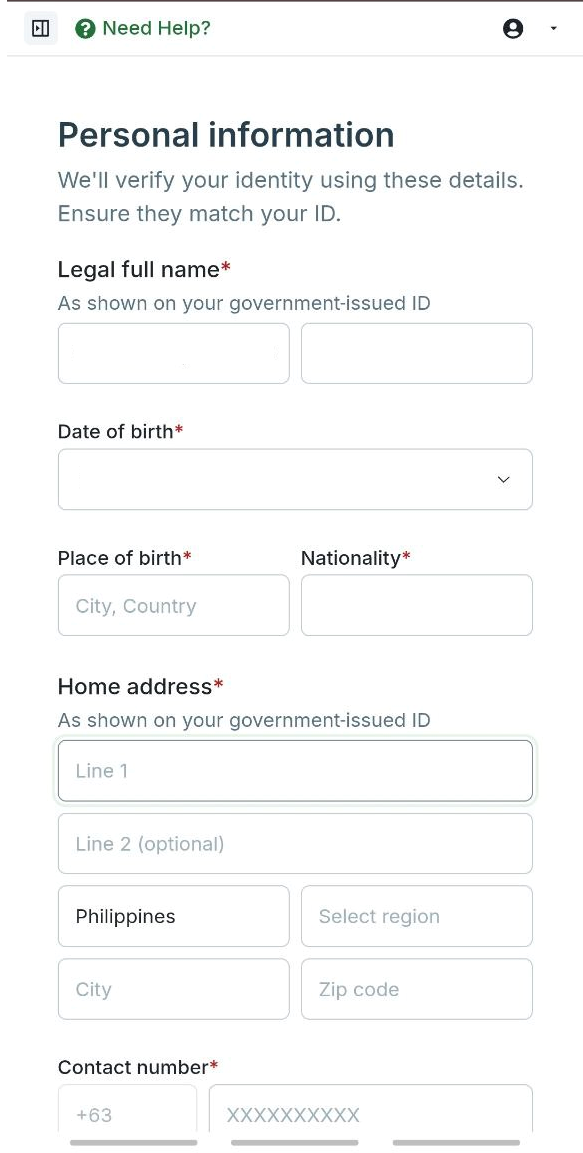
- Update the Personal Information Form. Most details will be pre-filled from the ID submitted.
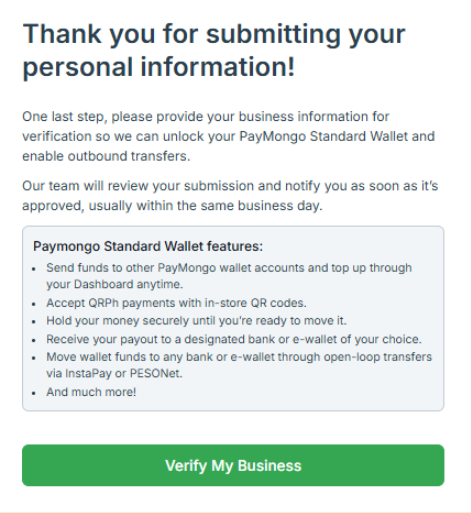
- You'll be asked to Verify your business by submitting a few Business Information.
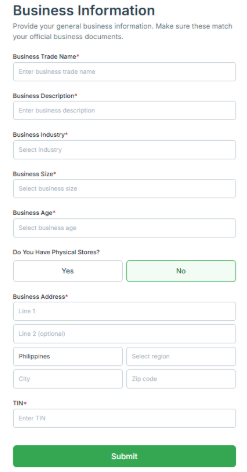
- Fill-up the one-pager Business Information.
- Once done, you’ll be rerouted to the your PayMongo Dashboard Page.
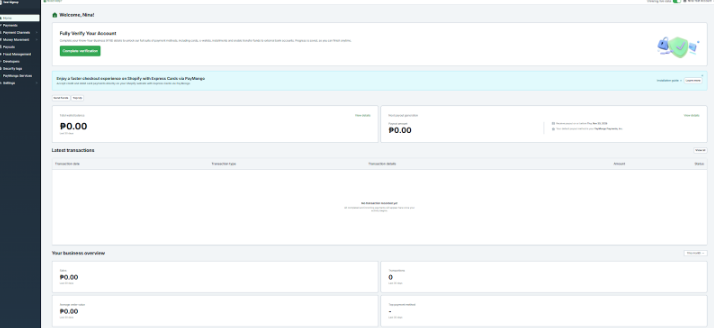
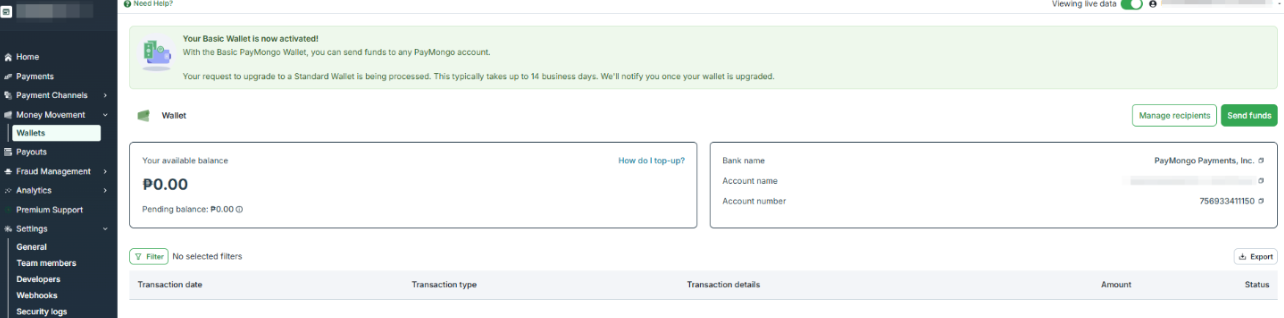
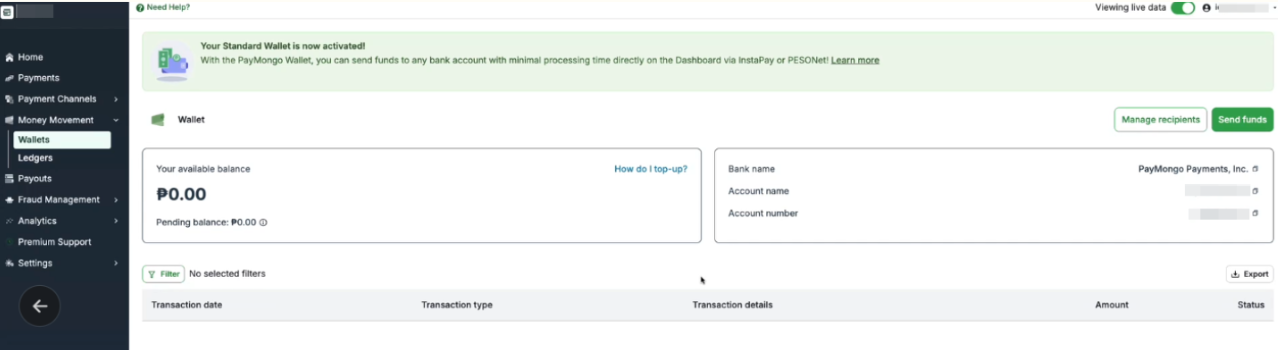
- You'll be able to identify your type of PayMongo Wallet by navigating to the Wallets side panel.
Closed-Loop Wallet
Enabled Wallet
The following categories of businesses and business practices may be eligible to use PayMongo's services subject to assessment of limitations imposed through network rules, requirements of financial services providers, or due to compliance and legal obligations.
Prohibited Businesses
Please review the list below to ensure your business is eligible for activation. Applications from businesses engaged in the activities listed below may be declined during the review process.
These categories are generally restricted based on the requirements of our financial partners, card network rules, compliance regulations, and legal obligations.
- Activities involving illegal products or services
- Adult content or services
- Gambling, betting, or lottery platforms
- Cryptocurrency exchanges or trading desks
- Multi-level marketing or pyramid schemes
- Payday lending or salary advances
- Unlicensed financial services (e.g., investment firms, forex brokers)
- Firearms, explosives, or weapons sales
- Counterfeit or pirated goods
- Drug paraphernalia or unregulated pharmaceuticals
- Human trafficking or child exploitation content
- Sale of endangered species or products derived from them
- Tobacco, vape, or e-cigarette sales (unlicensed)
Restricted Businesses
Some business categories may be eligible to use PayMongo’s services but require additional review and may be subject to limitations.
These categories are assessed on a case-by-case basis to comply with regulations and partner requirements.
- Travel and tour operators
- Ticketing or event platforms
- Freelancers and content creators
- Food supplements or nutraceuticals
- Cosmetic products or procedures
- Insurance agents and brokers
- Fundraising or donation-based platforms
- Non-profits and foundations
- Agencies or aggregators accepting payments on behalf of third parties
- Subscription boxes or recurring billing models
- Prepaid phone credits, load wallets, or digital goods resellers
- Logistics and freight services
- Consulting or coaching services
- Financial advisors or wealth management services
📌 If your business falls under a restricted category, our team may request additional documentation (EDD) or apply usage limits.
Updated 30 days ago