
Business Information
Update your business details
Business Information
The Business Information section contains your company details that are shown to customers and used for account verification. Keep this information accurate and up-to-date.
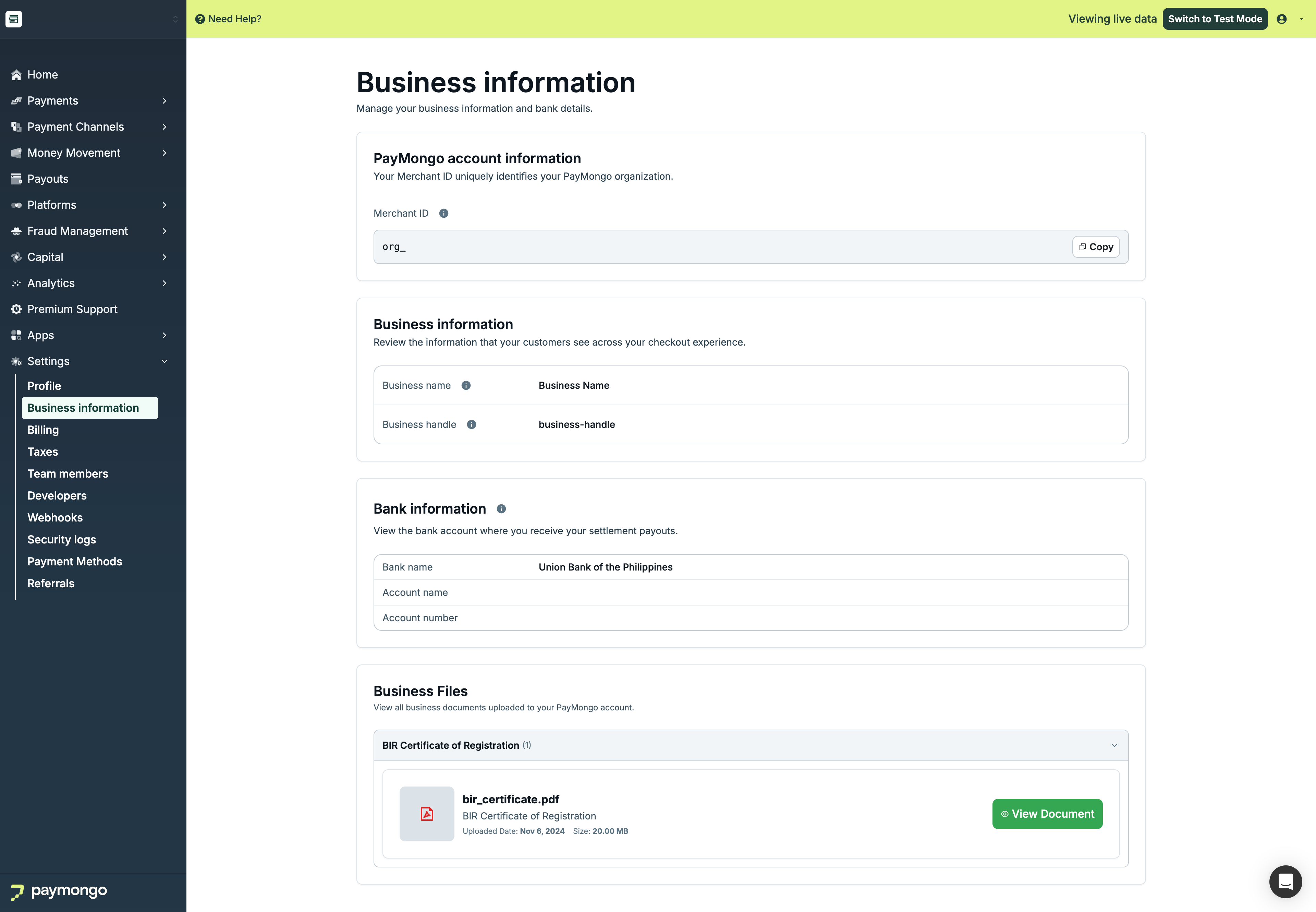
Business Details
Viewing Business Information
| Field | Description |
|---|---|
| Business Name | Your registered business name |
| Business Handle | Your unique PayMongo identifier |
| Business Type | Sole proprietor, Corporation, etc. |
| Industry | Your business category |
| Website | Your business website |
| Address | Business address |
Why It Matters
Your business name and handle are shown to customers when they pay, so make sure they're recognizable!
Updating Business Information
What You Can Edit
| Field | Editable | How to Change |
|---|---|---|
| Business Handle | ✅ Yes | Edit directly |
| Website | ✅ Yes | Edit directly |
| Address | ✅ Yes | Edit directly |
| Business Name | ❌ No | Request via email |
| Business Type | ❌ No | Request via email |
Changing Business Name
To change your business name:
- Email [email protected]
- Include your current business name
- Provide the new business name
- Attach supporting documents:
- Updated business registration
- SEC/DTI certificate
- Valid ID
- Explain the reason for change
Bank Information
Viewing Bank Details
| Field | Description |
|---|---|
| Bank Name | Your bank |
| Account Name | Account holder name |
| Account Number | Account number (masked) |
| Branch | Bank branch |
Updating Bank Information
Note: You must be activated before you can change your bank account.
To update bank details:
- Email [email protected]
- Request bank account change
- Provide new bank details:
- Bank name
- Account name
- Account number
- Branch
- Attach verification:
- Bank statement
- Cancelled check
- Valid ID
- Wait for confirmation
Important: Notify the Onboarding team about bank changes to avoid payout delays!
Business Verification
Verification Status
| Status | Description |
|---|---|
| Verified | All documents approved |
| Pending | Documents under review |
| Action Required | Additional documents needed |
| Rejected | Documents not accepted |
Required Documents
| Document | Purpose |
|---|---|
| Business Registration | SEC/DTI certificate |
| Valid ID | Owner/representative ID |
| Proof of Address | Utility bill, bank statement |
| Bank Document | Account verification |
Uploading Documents
- Go to Business Information
- Click "Upload Documents"
- Select document type
- Upload file (PDF, JPG, PNG)
- Submit for review
Business Address
Address Fields
| Field | Description |
|---|---|
| Street | Street address |
| City | City/Municipality |
| Province | Province/State |
| Postal Code | ZIP code |
| Country | Country (Philippines) |
Updating Address
- Click "Edit"
- Update address fields
- Save changes
Business Contact
Additional Contacts
Add contacts for specific purposes:
| Contact Type | Use |
|---|---|
| Finance | Billing inquiries |
| Technical | Integration support |
| Operations | Day-to-day matters |
Best Practices
| Practice | Recommendation |
|---|---|
| Keep updated | Update info when changes occur |
| Use official name | Match registration documents |
| Clear documents | Upload legible documents |
| Notify changes | Inform PayMongo of major changes |
| Verify bank | Ensure bank details are correct |
Feel free to reach out to [email protected] if you have questions about business information!
Updated about 1 month ago