
Billing
Manage your billing information and subscription
Billing
The Billing section allows you to view your account plan, billing history, and manage payment information for any PayMongo subscription services.
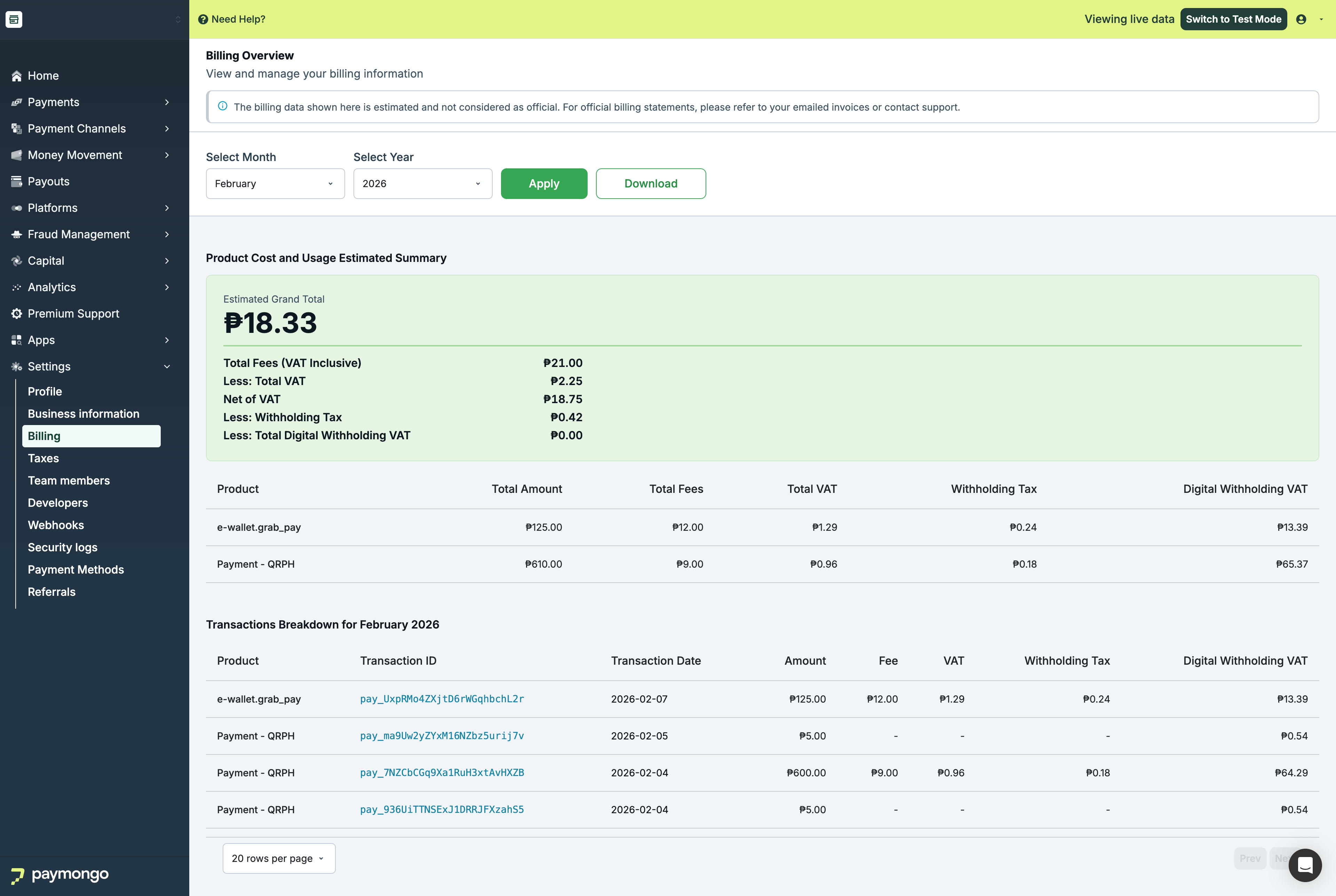
Billing
Account Overview
Current Plan
View your current subscription details:
| Field | Description |
|---|---|
| Plan Name | Your subscription tier |
| Status | Active, Trial, Expired |
| Billing Cycle | Monthly, Annual |
| Next Billing | When you'll be charged |
| Amount | Subscription cost |
Transaction Fees
Fee Structure
View your current transaction fees:
| Payment Method | Rate | Fixed Fee |
|---|---|---|
| Local Cards | 2.5% | - |
| International Cards | 3.5% | - |
| E-Wallets | 2.0% | - |
| Bank Transfers | 1.0% | ₱15 |
| Over-the-Counter | 1.5% | - |
Note: Your actual rates may vary based on your agreement with PayMongo.
Billing History
View Invoices
| Column | Description |
|---|---|
| Date | Invoice date |
| Invoice # | Invoice number |
| Description | What was billed |
| Amount | Total amount |
| Status | Paid, Pending, Overdue |
Downloading Invoices
- Find the invoice
- Click "Download"
- Receive PDF invoice
Payment Method
Managing Payment Methods
Add or update your billing payment method:
- Click "Payment Methods"
- Click "Add Payment Method"
- Enter card details
- Set as default if desired
Accepted Methods
| Method | Available |
|---|---|
| Credit Card | ✅ Yes |
| Debit Card | ✅ Yes |
Subscription Management
Changing Plans
To change your subscription:
- View available plans
- Select new plan
- Review price difference
- Confirm change
Cancelling Subscription
To cancel paid features:
- Contact support
- Review cancellation terms
- Process cancellation
Billing Alerts
Notifications
Receive alerts for:
| Alert | Description |
|---|---|
| Invoice generated | New invoice available |
| Payment successful | Payment processed |
| Payment failed | Payment issue |
| Subscription expiring | Plan renewal coming |
Managing Alerts
Configure which notifications you receive in your profile settings.
Tax Information
VAT/Tax Details
| Field | Description |
|---|---|
| Tax ID | Your tax identification |
| VAT Status | Applicable tax status |
| Tax Rate | Applied tax rate |
Updating Tax Info
- Click "Edit"
- Update tax information
- Submit for verification
FAQ
When am I billed for transaction fees?
Transaction fees are deducted from each payment before settlement. You don't receive a separate bill for these.
How do I get an invoice for accounting?
Download invoices from Billing History or export payment reports from the Reports section.
Can I change my billing cycle?
Contact support to discuss billing cycle changes.
Feel free to reach out to [email protected] if you have questions about billing!
Updated about 1 month ago