All Payments
Manage and track all your completed transactions
All Payments
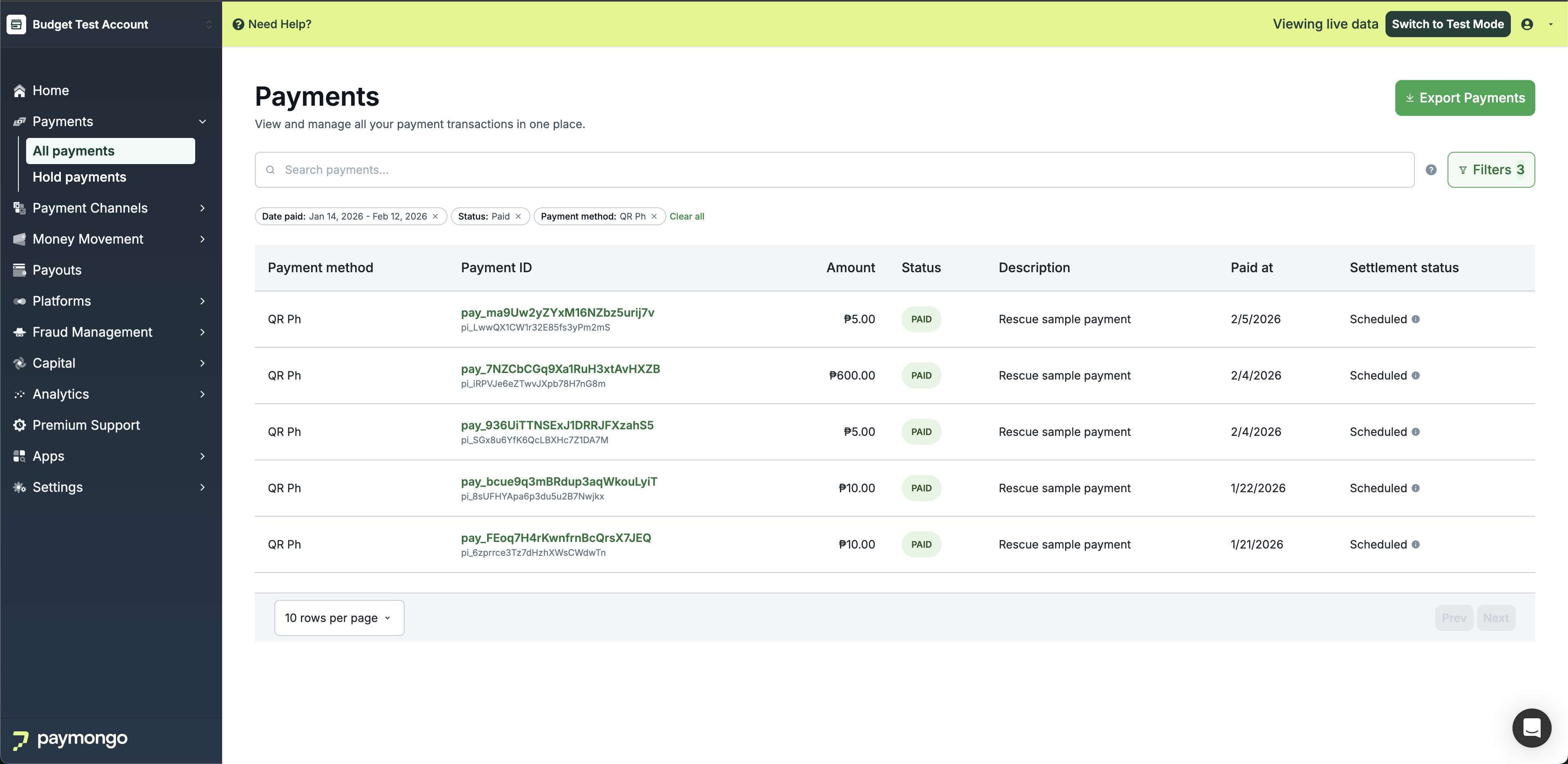
Your All Payments Dashboard is where you can find a complete list of all your transactions. Track payments in real-time, view transaction details, and manage refunds all in one place.
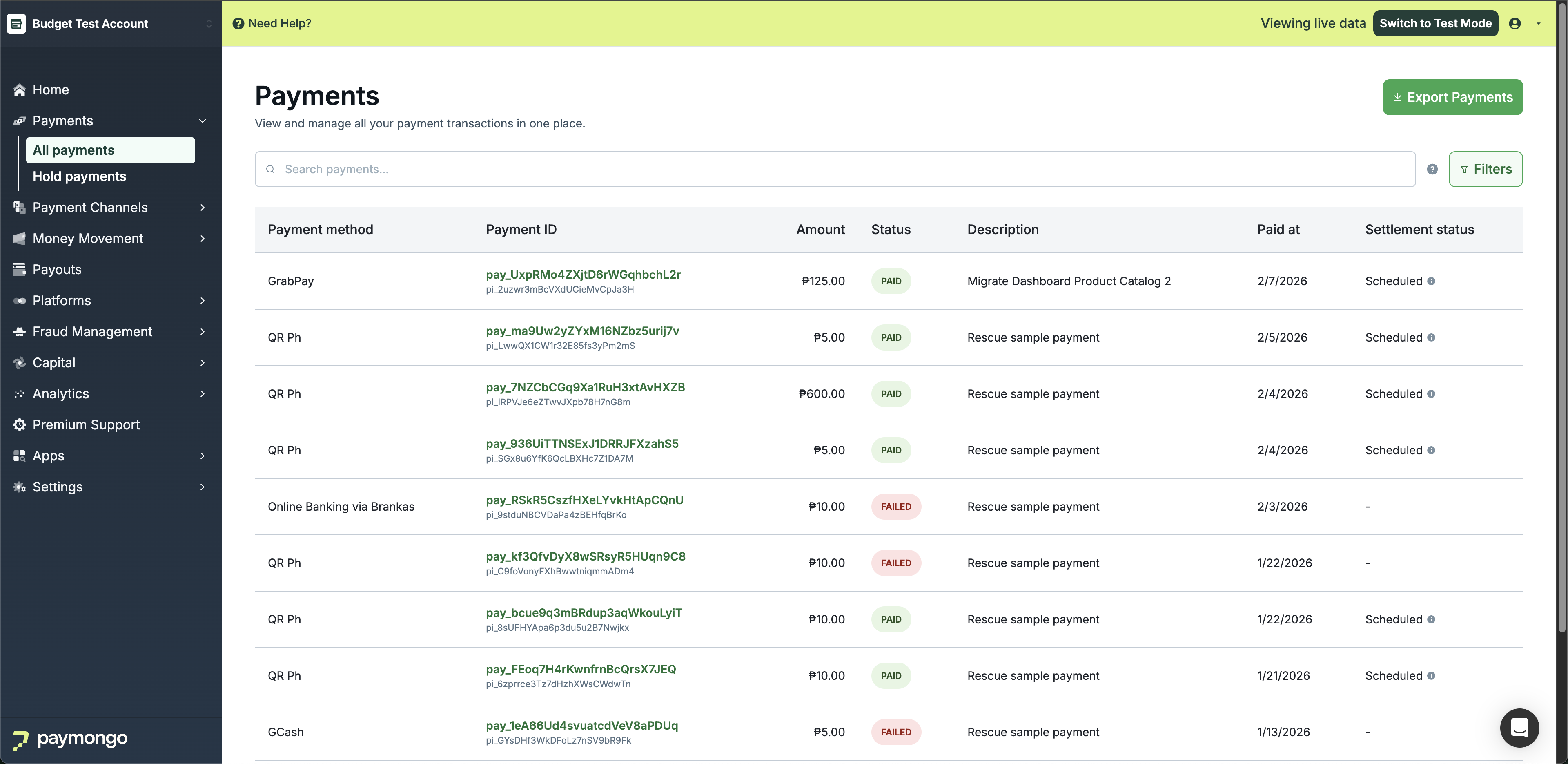
Payments Menu
Dashboard Overview
On this page, you'll see details for every transaction made through your account. This helps you identify who transacted and the amount they paid in real-time.
Each transaction has a unique Payment ID that looks like this: pay_LgStXCp9cVJn549SDFMXyoyY
Transaction Table
The payments table displays the following columns:
| Column | Description |
|---|---|
| Payment ID | Unique identifier for the transaction |
| Date | Date and time the payment was processed |
| Customer | Customer name and email address |
| Amount | Payment amount in PHP |
| Payment Method | Method used (Card, GCash, Maya, etc.) |
| Status | Current status (Paid, Pending, Failed, Refunded) |
Viewing Transaction Details
Click on any transaction row to view the complete payment details:
Payment Information
- Payment ID and reference number
- Transaction date and time
- Payment status
- Amount paid (gross)
- PayMongo fee
- Net amount received
Customer Information
- Customer name
- Email address
- Contact number (if provided)
- Billing address (if provided)
Payment Method Details
- Payment method used
- Card details (last 4 digits for cards)
- Bank or wallet information
Exporting Payments
Export your transactions to a CSV file for accounting and record-keeping:
- Click the "Export Payments" button
- Select the date range you want to export
- Choose the file format
- Download the generated file
The export includes all transaction details with columns for:
- Payment ID
- Date
- Customer information
- Gross amount
- Fees
- Net amount
- Payment method
- Status
Processing Refunds
To refund a payment:
- Click on the specific transaction to open the payment details
- Click the "Refund" button
- Enter the refund amount (full or partial)
- Add an optional refund reason
- Confirm the refund
Note: Refunds may take 5-10 business days to reflect in the customer's account depending on the payment method.
Search Functionality
Use the search bar to quickly find specific transactions:
| Search Field | Examples |
|---|---|
| Payment ID | pay_LgStXCp9cVJn549SDFMXyoyY |
| Description | Order #12345 |
| Email address | [email protected] |
| Link reference | link_abc123 |
Filtering Payments
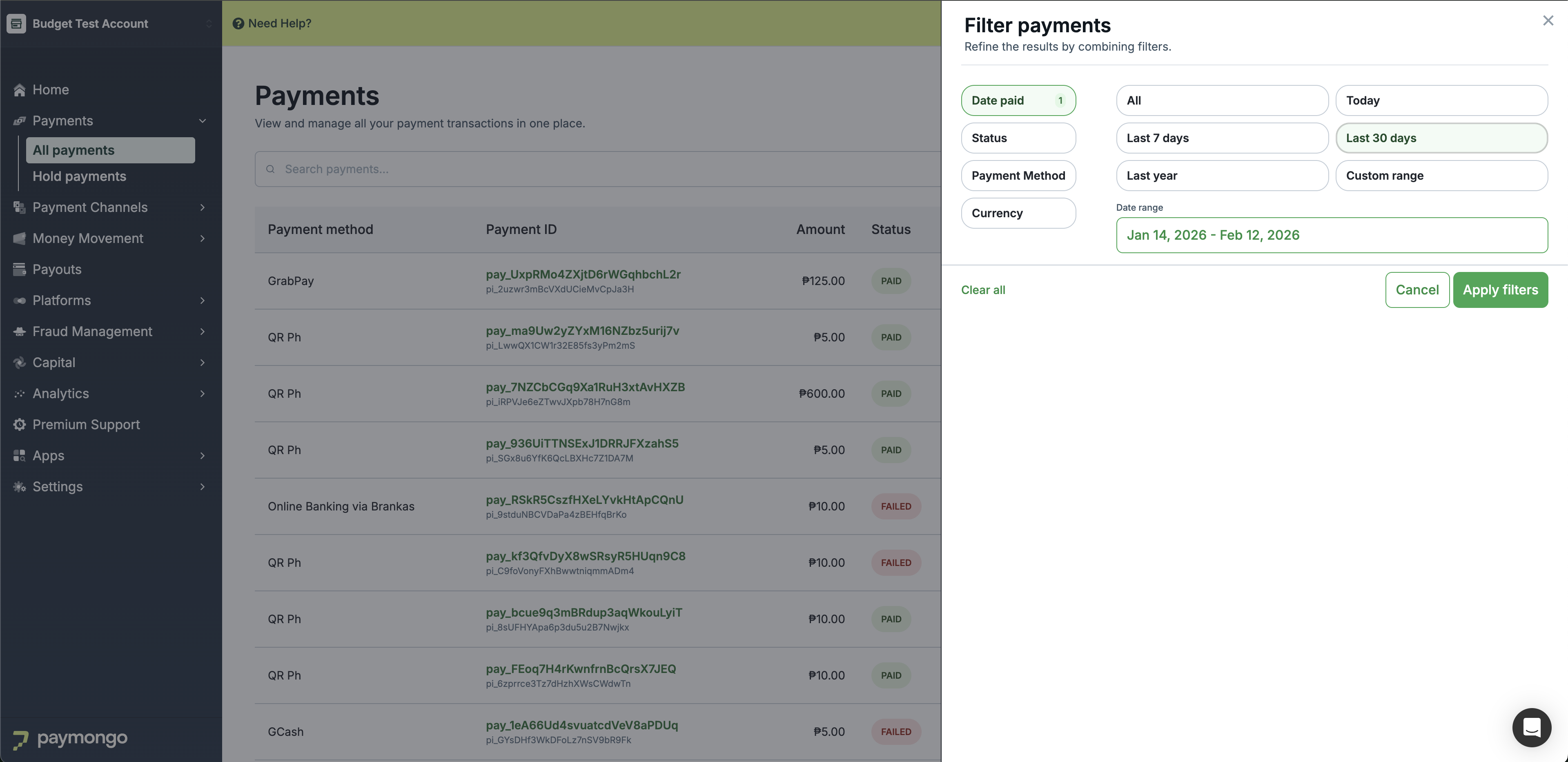
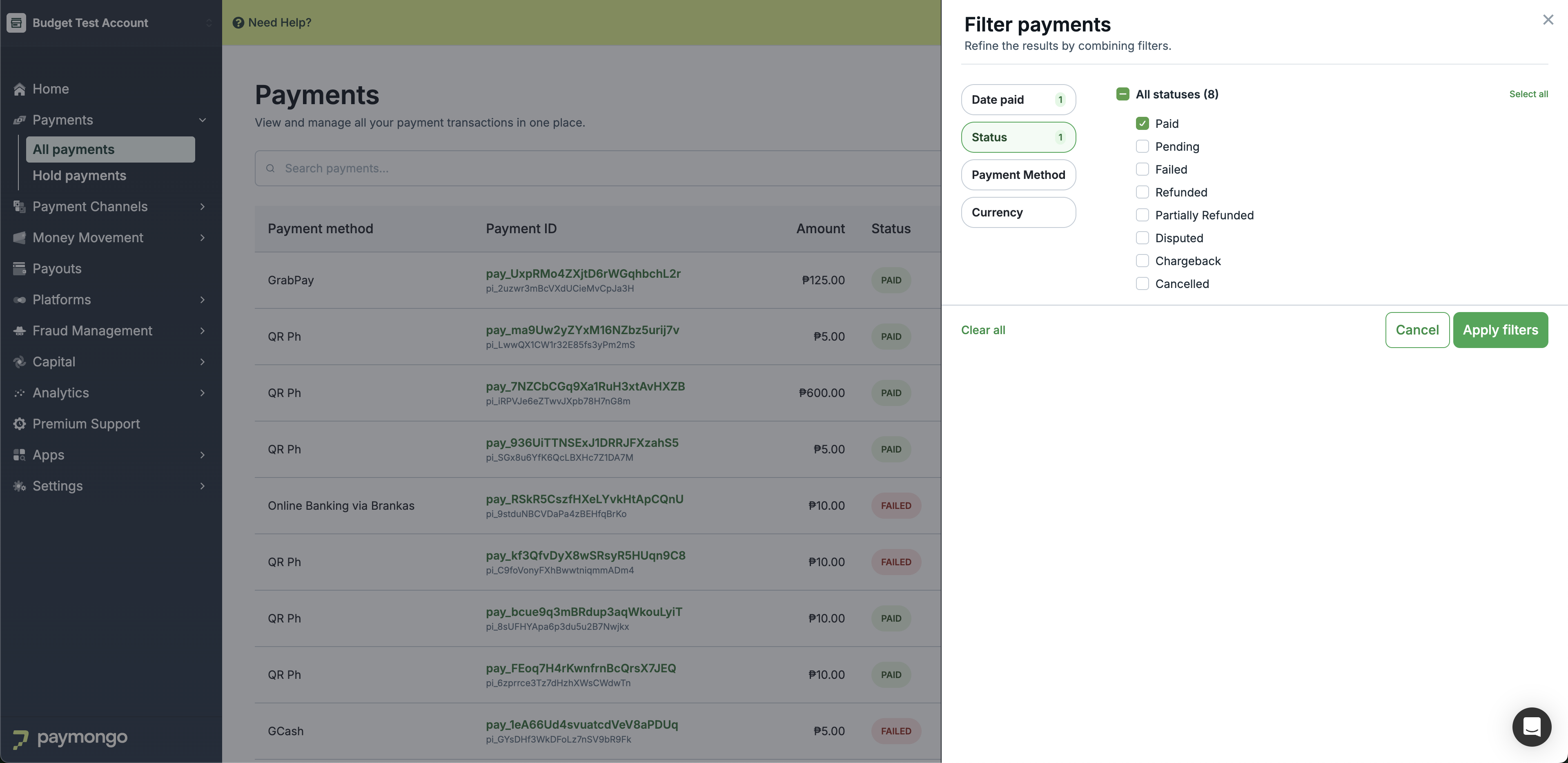
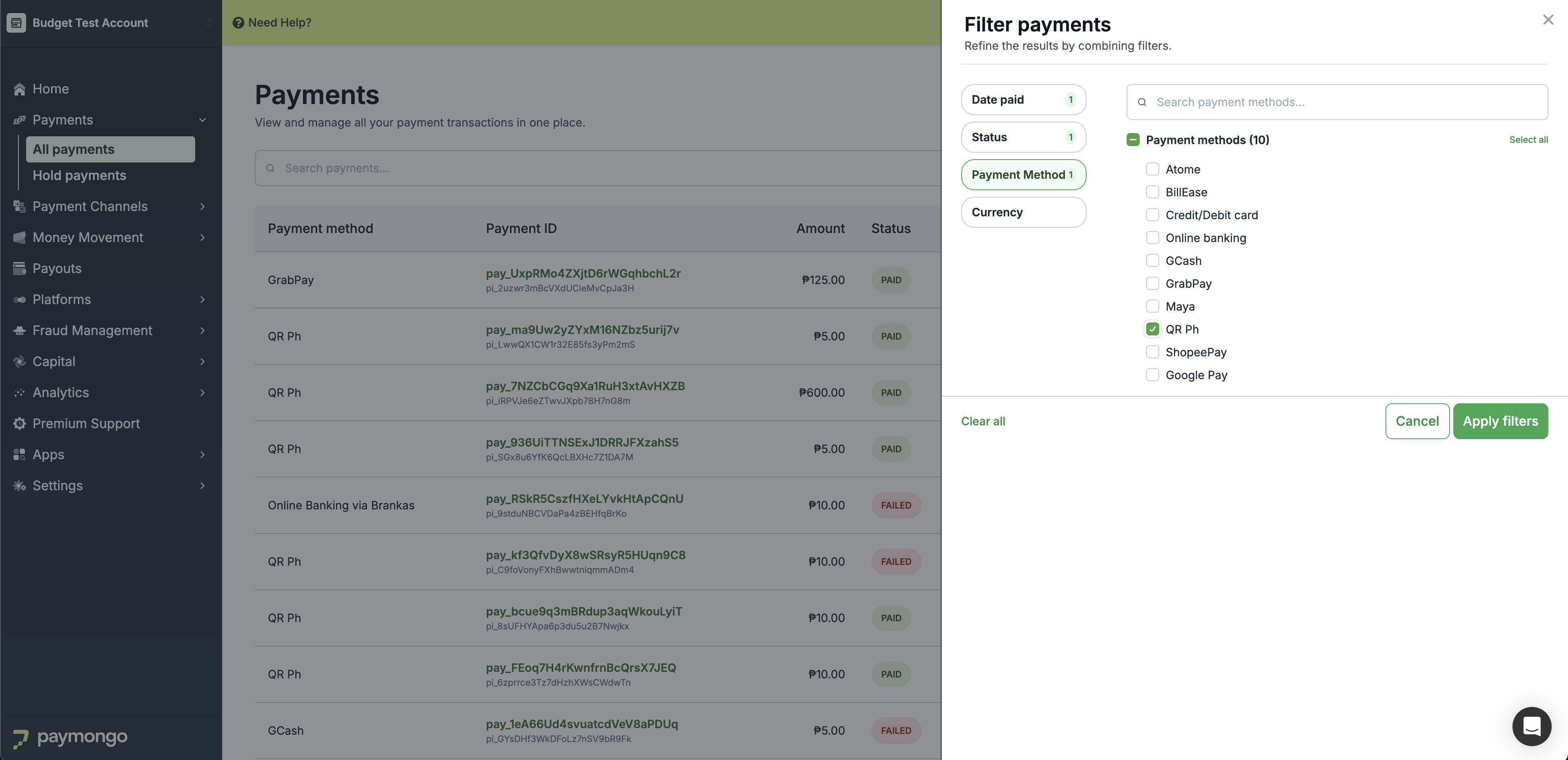
Filter your payments by:
- Date range - View transactions from specific periods
- Payment method - Filter by card, e-wallet, bank transfer, etc.
- Status - Show only paid, pending, failed, or refunded transactions
- Amount range - Find transactions within specific amounts
Quick Tip:Use filters in combination with search to quickly narrow down transactions for reconciliation or customer support inquiries.
Feel free to reach out to [email protected] if you have questions about your payments!
Updated 20 days ago