
Accessing Blocked List
Account configuration is required before testing transactions
If you are interested in access to this feature, please contact [email protected]!
To access the Blocked section in PayMongo Protect, follow these steps:
-
Log in to your PayMongo Merchant Dashboard.
- Go to dashboard.paymongo.com and sign in with your account credentials.
-
Access Fraud Management.
- In the main navigation menu on the left, locate and click on Fraud Management.
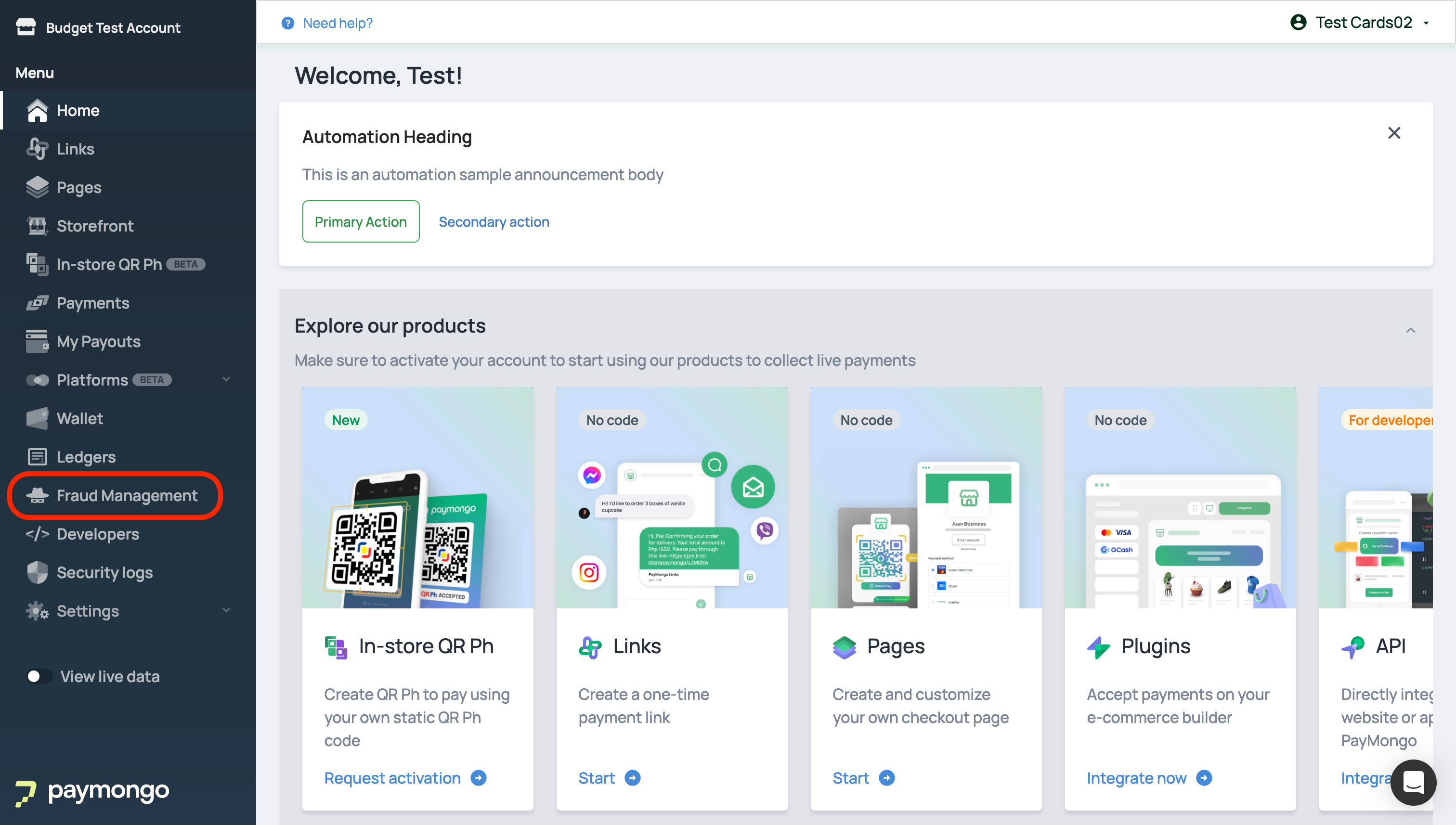
- This section provides an overview of PayMongo Protect and its fraud prevention features.
- In the main navigation menu on the left, locate and click on Fraud Management.
-
Go to the Blocked Page.
- Under the Fraud Management submenu, click on Blocked.
- This will open the Blocked page, where you can see a list of all transactions that have been blocked.
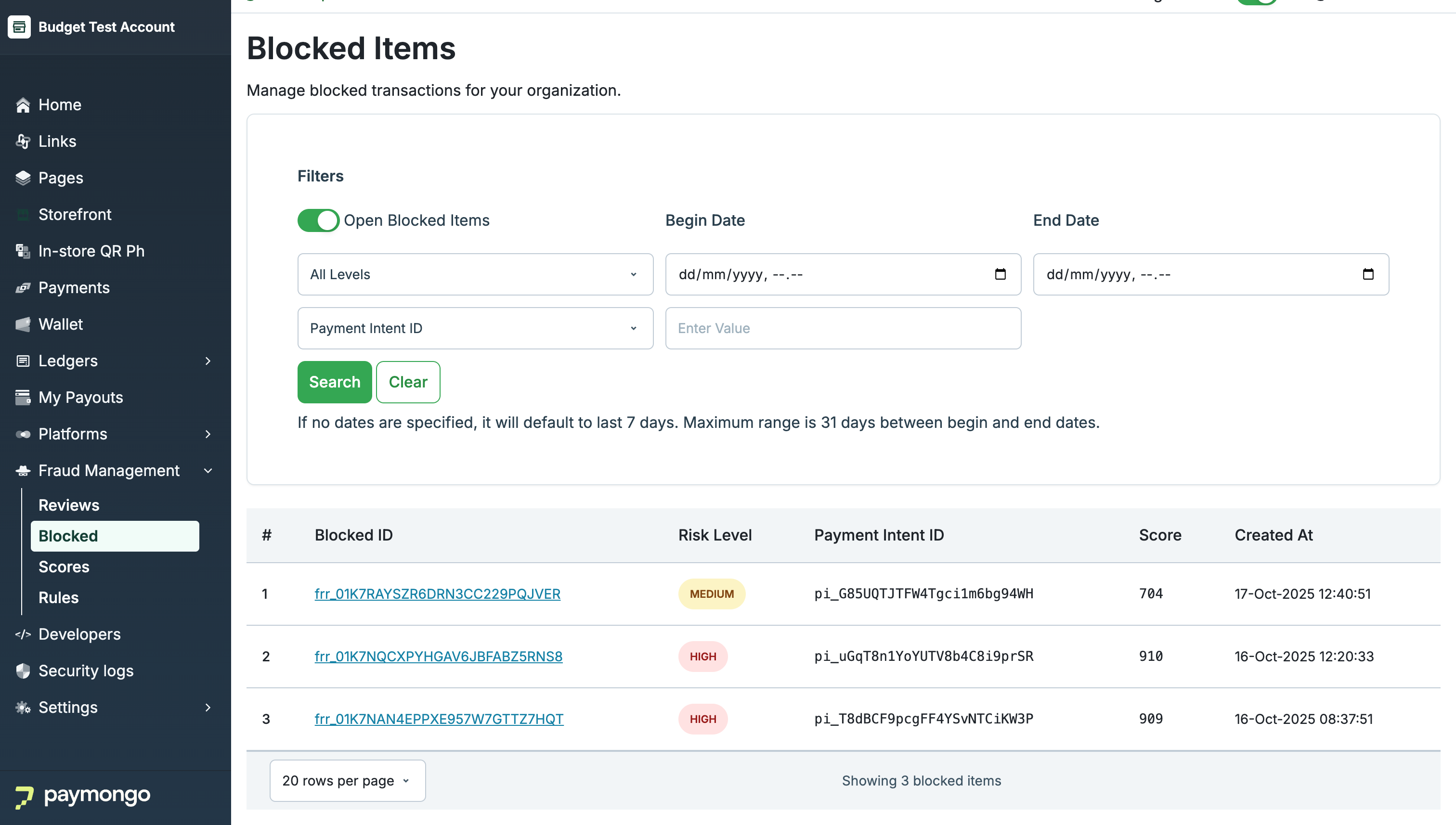
- The list displays key details such as Review ID, Risk Level, Payment Intent ID, Score, and Created At.
What You’ll See:
- A filter panel at the top, allowing you to narrow down results by risk level, date range, or Payment Intent ID.
- A table listing all open reviews, including details about each flagged transaction.
Use this page as your starting point for investigating and managing blocked transactions.
Updated 6 months ago