
API keys
Your API keys authenticate every request you make to PayMongo. Keep them secure — treat your secret key like a password.
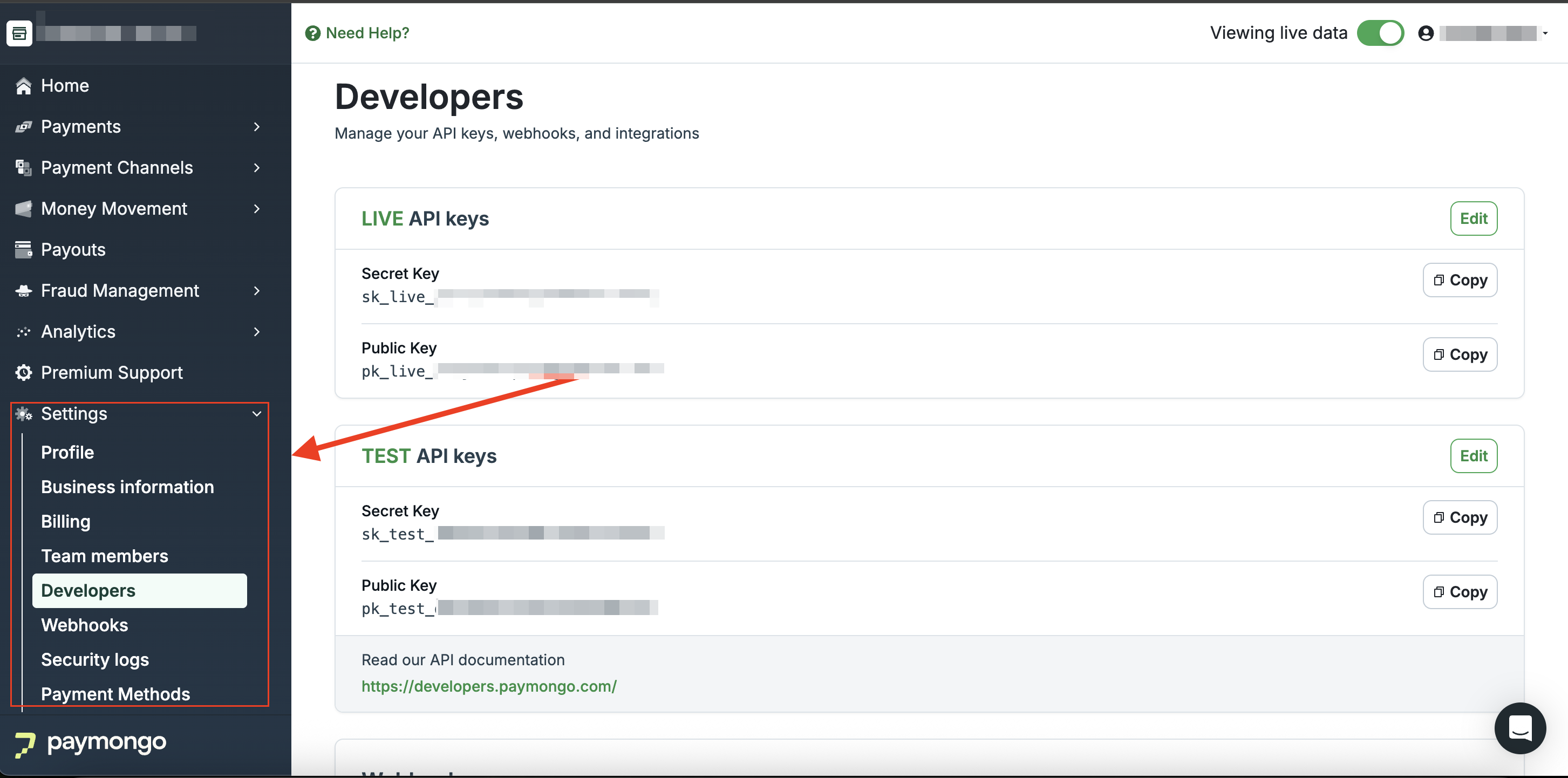
Where to find your API keys
Your API requests to the PayMongo API must be authenticated using your account's API keys. An authentication error will be returned if the API key is not provided or is invalid.
- Log in to your PayMongo Dashboard
- Go to Settings → Developers
Test and live mode
PayMongo gives you two sets of keys — one for testing, one for live payments.
| Test | Live | |
|---|---|---|
| Prefix | pk_test_ / sk_test_ | pk_live_ / sk_live_ |
| Processes real payments | No | Yes |
| Available | Immediately | Immediately |
Use test keys while building. Switch to live keys only when you're ready to accept real payments.
Public and Secret keys
Public key (pk_) — used on the client-side to identify your account when initiating requests.
Secret key (sk_) — used server-side only. Has full API access. Never expose this in your frontend code or commit it to version control. Store it as an environment variable.
If you believe your secret key has been compromised, regenerate it immediately from your dashboard.
Updated 21 days ago