
Creating an In-Store QR Ph Code
Learn how to create your very own QR Ph code for your in-store needs
Creating an In-Store QR Ph Code
Follow these steps to generate a static QR Ph code from your dashboard:
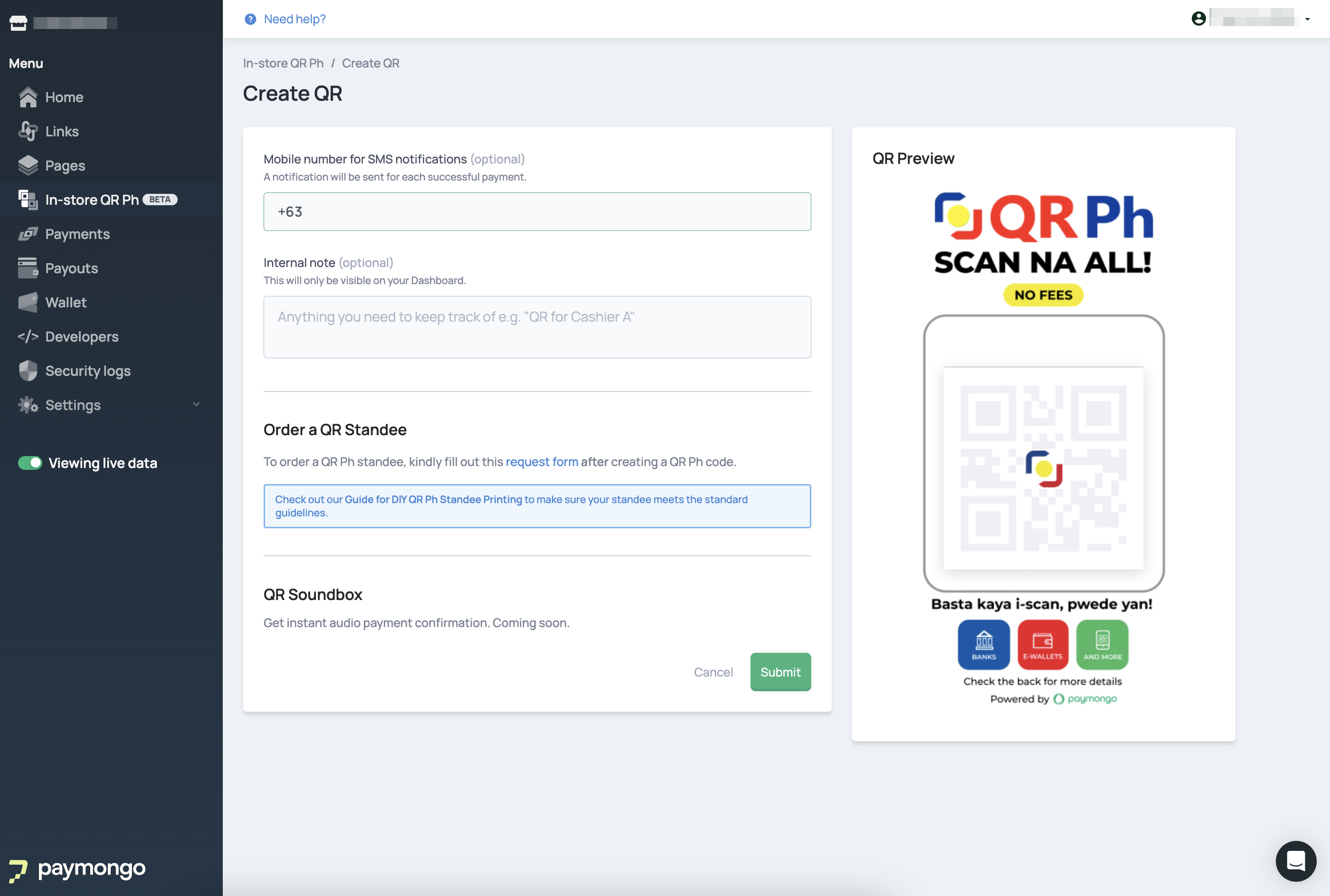
- From the In-Store QR Ph module, click "Create QR Ph Code".
- Provide a mobile number for SMS notifications
This is crucial for receiving instant alerts about successful transactions. You can nominate a dedicated store number or a number from your accounting/operations team. - Add an internal note (optional)
This note is only visible to you on the dashboard and helps distinguish payments if you have multiple QR codes (e.g., "Cashier 1," "Main Entrance"). - After submission, you can download the QR Ph standee image directly from the QR Code Details page.
Updated 3 months ago