
Security Logs
Monitor account activity and security events
Security Logs
Security Logs provide visibility into all account activity. Monitor team member actions, track changes, and maintain accountability across your PayMongo account.
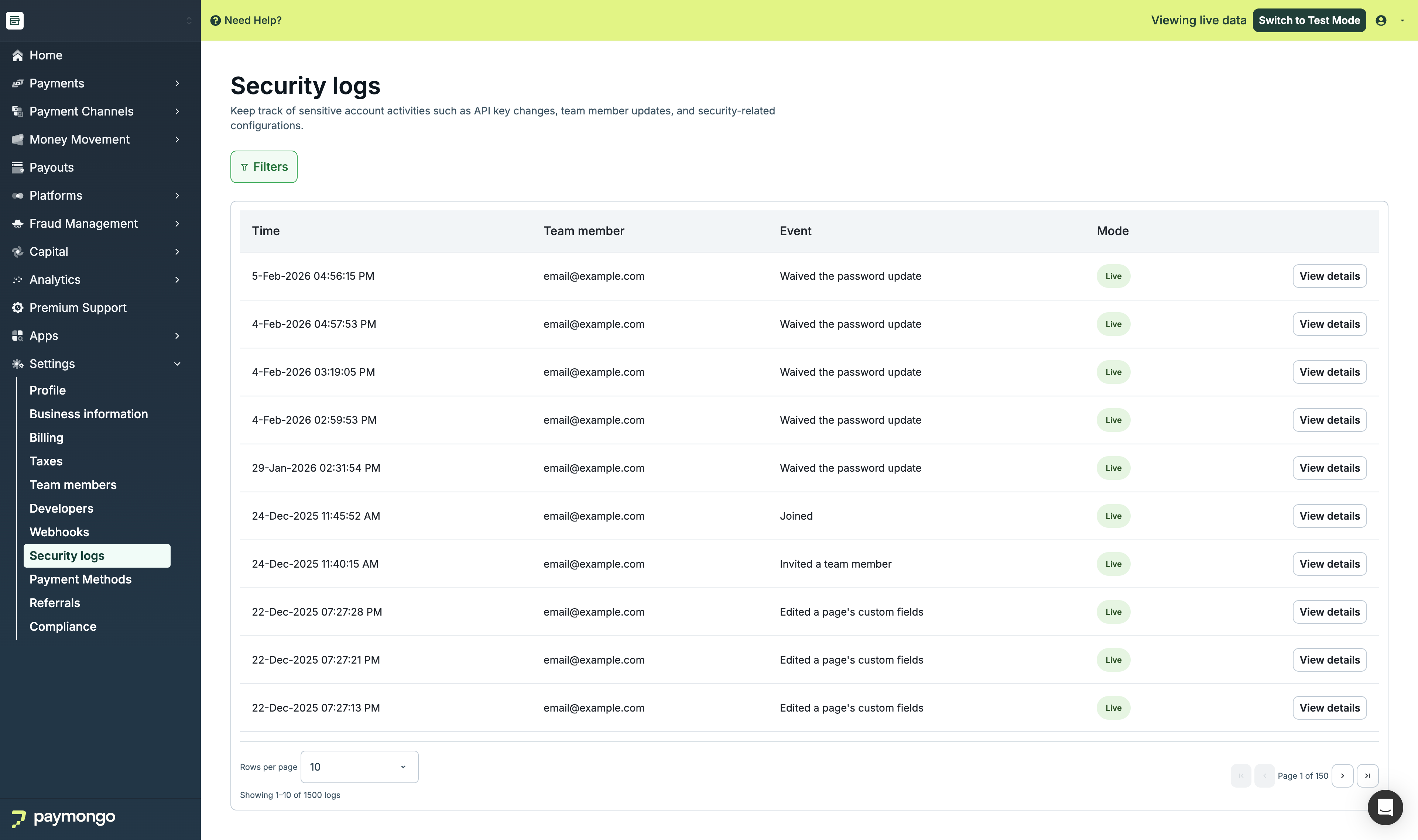
Security Logs
Overview
Security Logs help you:
- Track who did what and when
- Monitor for unauthorized access
- Maintain compliance records
- Investigate issues
Viewing Security Logs
Log Table
| Column | Description |
|---|---|
| Event/Action | What was done |
| Date and Time | When it occurred |
| User | Email of team member |
| IP Address | Where from |
| Details | Additional info |
Access
Only these roles can view Security Logs:
- Account Owner - Full access
- Manage User role - Can view team activities
Event Types
Account Events
| Event | Description |
|---|---|
| Login | User logged in |
| Logout | User logged out |
| Failed login | Unsuccessful login attempt |
| Password change | Password was updated |
| 2FA enabled | Two-factor activated |
| 2FA disabled | Two-factor deactivated |
Team Events
| Event | Description |
|---|---|
| User invited | New team member invited |
| User removed | Team member removed |
| Role changed | User role updated |
| User suspended | Account suspended |
| User activated | Account reactivated |
Settings Events
| Event | Description |
|---|---|
| API key regenerated | Keys were refreshed |
| Webhook created | New webhook added |
| Webhook deleted | Webhook removed |
| Payment method changed | Method enabled/disabled |
| Settings updated | Configuration changed |
Payment Events
| Event | Description |
|---|---|
| Refund processed | Refund was issued |
| Payment voided | Payment cancelled |
| Export created | Data was exported |
Filtering Logs
Filter Options
| Filter | Options |
|---|---|
| Date range | Start and end dates |
| User | Specific team member |
| Event type | Category of event |
| Action | Specific action |
Search
Search logs by:
- User email
- Event name
- Details text
Log Details
Click any log entry to view:
Full Details
| Field | Description |
|---|---|
| Event ID | Unique identifier |
| Event type | Category |
| Action | Specific action |
| User | Who performed it |
| Timestamp | Exact date/time |
| IP Address | Source location |
| User Agent | Browser/device info |
| Details | Additional context |
Related Events
View related events in the same session or transaction.
Exporting Logs
Export security logs for compliance:
Export Options
- Click "Export"
- Select date range
- Choose format (CSV)
- Download file
Export Contents
- All log fields
- User details
- Timestamps
- IP addresses
Monitoring Best Practices
| Practice | Recommendation |
|---|---|
| Regular review | Check logs weekly |
| Alert on anomalies | Watch for unusual patterns |
| Investigate failures | Follow up on failed logins |
| Audit access | Verify appropriate permissions |
| Retain records | Keep exports for compliance |
Security Alerts
Watch for these concerning patterns:
Red Flags
| Pattern | Concern |
|---|---|
| Multiple failed logins | Possible attack |
| Unusual hours | Out-of-hours access |
| Unknown IP | New location |
| Bulk actions | Unusual activity |
| Key regeneration | Verify it was intentional |
Response
If you notice suspicious activity:
- Review the user's recent actions
- Check if action was authorized
- Suspend user if necessary
- Change API keys if compromised
- Contact PayMongo support
Compliance
Security logs support compliance with:
- Internal audit requirements
- Regulatory requirements
- Partner agreements
- Security certifications
Limitations
Note: Not all actions are visible in the test environment. We are working on expanding this functionality.
Feel free to reach out to [email protected] if you have questions about security logs!
Updated about 1 month ago