
Payment Methods
Configure available payment options
Payment Methods
The Payment Methods section allows you to configure which payment options are available to your customers. Enable, disable, and manage settings for each payment method.
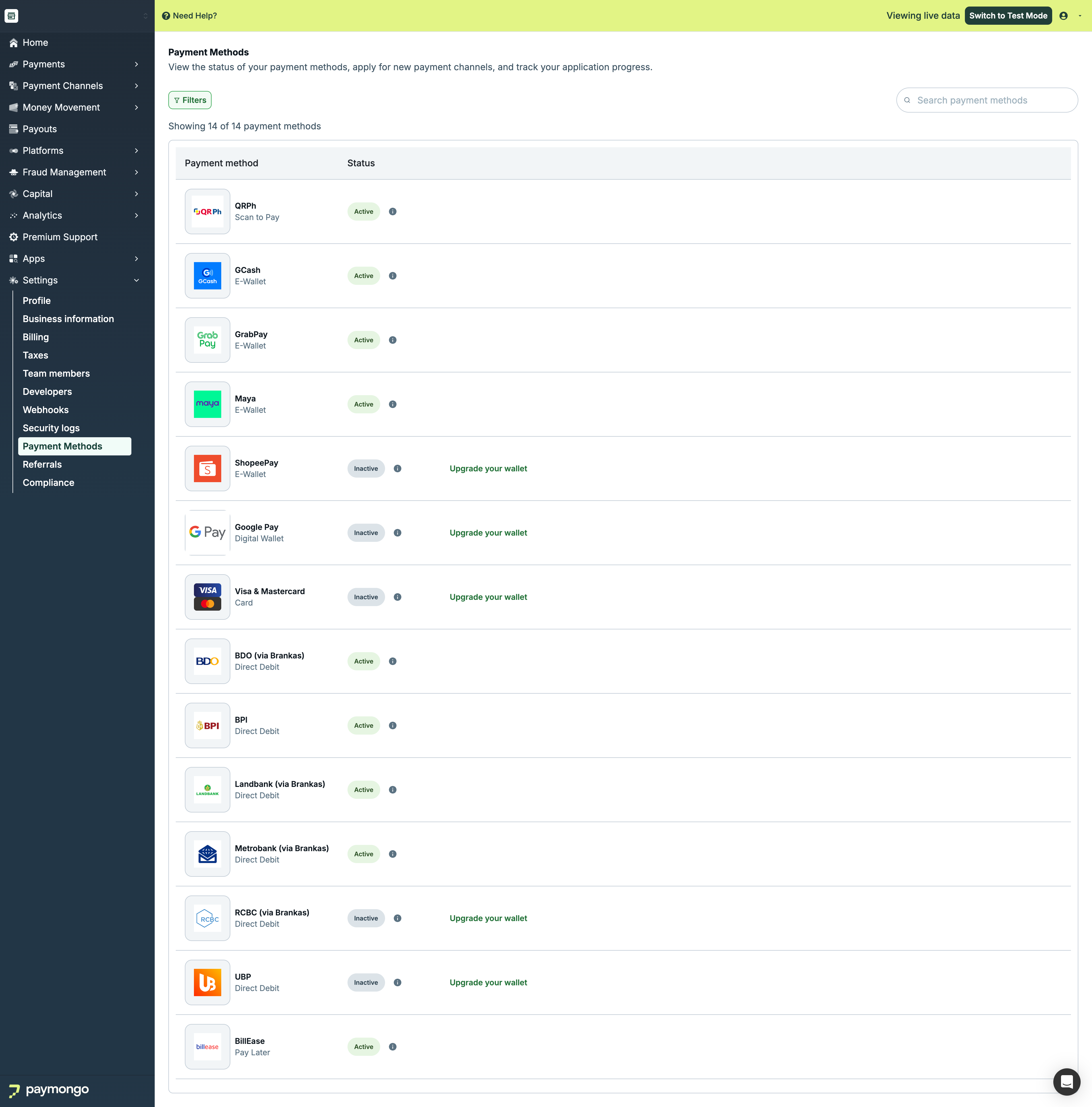
Payment Methods
Available Payment Methods
Cards
| Method | Description |
|---|---|
| Visa | Visa credit and debit cards |
| Mastercard | Mastercard credit and debit |
| AMEX | American Express (if enabled) |
| JCB | JCB cards (if enabled) |
E-Wallets
| Method | Description |
|---|---|
| GCash | Globe's e-wallet |
| Maya | Maya (formerly PayMaya) |
| GrabPay | Grab's payment wallet |
| ShopeePay | Shopee's e-wallet |
Bank Transfers
| Method | Description |
|---|---|
| BPI Online | Bank of the Philippine Islands |
| UnionBank | UnionBank online |
| RCBC | RCBC online banking |
| Direct Debit | Direct bank deduction |
Buy Now Pay Later
| Method | Description |
|---|---|
| BillEase | Installment payments |
| Atome | Pay in 3 installments |
Over-the-Counter
| Method | Description |
|---|---|
| 7-Eleven | Pay at 7-Eleven stores |
| Cebuana | Pay at Cebuana branches |
| M Lhuillier | Pay at M Lhuillier |
Managing Payment Methods
Enabling a Method
- Find the payment method
- Toggle the switch to On
- Complete any required setup
- Method is now available
Disabling a Method
- Find the payment method
- Toggle the switch to Off
- Confirm (if prompted)
Note: Disabling a method stops new payments but doesn't affect pending transactions.
Payment Method Settings
Card Settings
| Setting | Options |
|---|---|
| 3D Secure | Required, Optional |
| Card types | Credit, Debit, Both |
| Installments | Enable/disable |
| International | Accept foreign cards |
E-Wallet Settings
| Setting | Options |
|---|---|
| Auto-capture | Immediate or manual |
| Expiration | Payment window time |
Bank Transfer Settings
| Setting | Options |
|---|---|
| Expiration | Time to complete transfer |
| Reference format | Auto or custom |
Activation Requirements
Some methods require additional setup:
| Method | Requirements |
|---|---|
| AMEX | Separate application |
| Installments | Partner bank approval |
| Direct Debit | Bank integration |
Applying for Additional Methods
- Click "Apply" next to the method
- Complete application form
- Submit required documents
- Wait for approval
Fees by Payment Method
View fees for each method:
| Method | Rate | Fixed Fee |
|---|---|---|
| Cards (Local) | 2.5% | ₱0 |
| Cards (Intl) | 3.5% | ₱0 |
| E-Wallets | 2.0% | ₱0 |
| Bank Transfer | 1.0% | ₱15 |
| OTC | 1.5% | ₱0 |
Note: Fees may vary. Check your agreement for exact rates.
Per-Channel Settings
Configure methods per payment channel:
Links & Pages
Enable/disable specific methods for Links and Pages.
API
Configure which methods are available via API.
Storefront
Select methods for your online store.
Testing Payment Methods
Test Mode
Test each payment method in test mode:
- Switch to Test Mode
- Use test credentials
- Verify each method works
- Switch to Live when ready
Test Cards/Accounts
Use PayMongo's test credentials for each payment method.
Best Practices
| Practice | Recommendation |
|---|---|
| Offer variety | Enable multiple methods |
| Know your customers | Enable preferred methods |
| Test thoroughly | Test before going live |
| Monitor performance | Check success rates |
| Stay updated | Enable new methods as available |
Feel free to reach out to [email protected] if you have questions about payment methods!
Updated about 1 month ago