
Using Filters in Blocked List
Account configuration is required before testing transactions
If you are interested in access to this feature, please contact [email protected]!
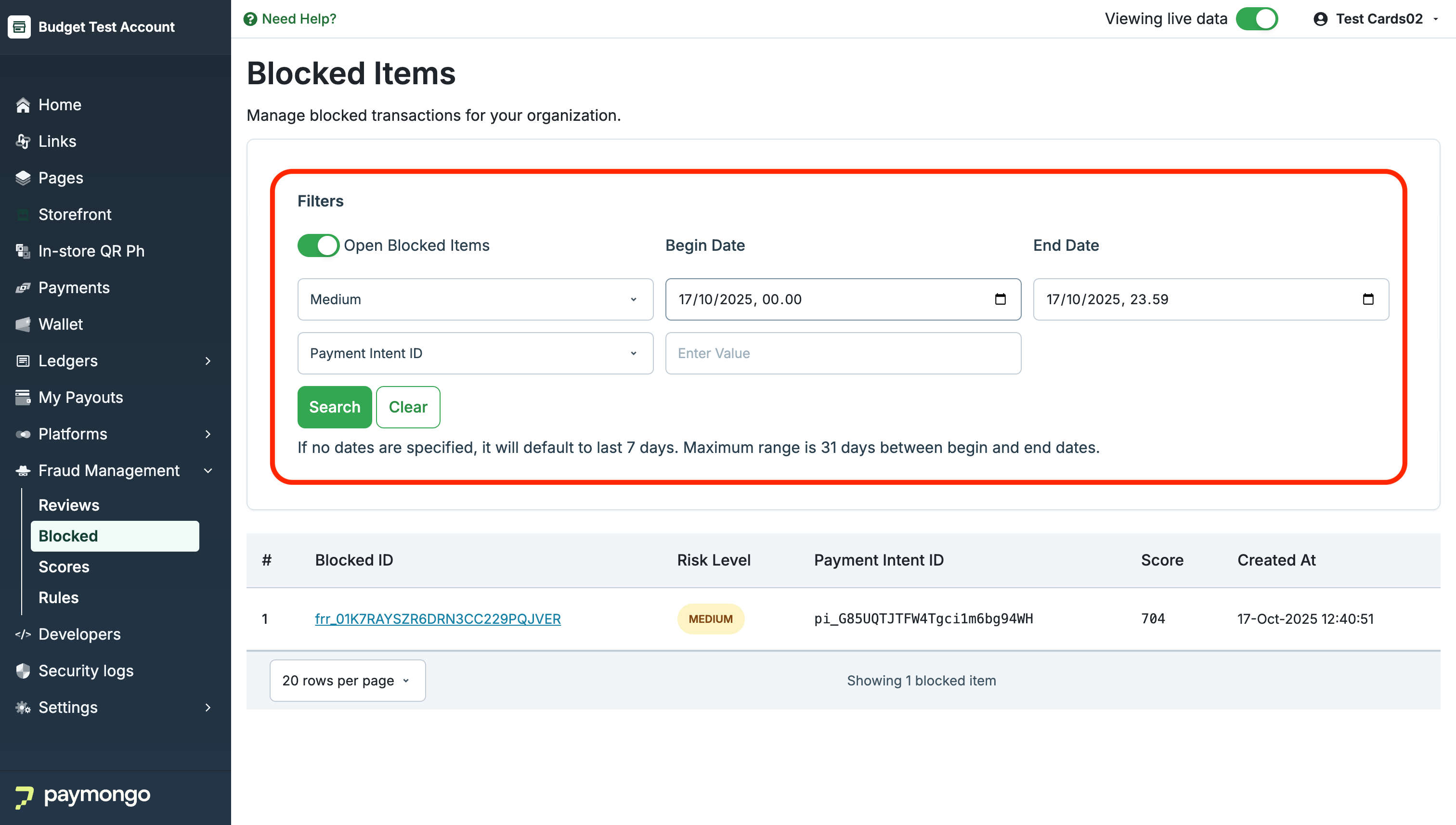
The Blocked list provides filtering options similar to the Reviews list, so you can quickly find and focus on the transactions that matter most.
-
Open Blocked Items:
By default, only open (unresolved) blocked items are shown. You can toggle this to include closed items if applicable. -
Risk Level:
Filter blocked transactions by risk level (e.g., Medium, High) for targeted review. -
Date Range:
Set a begin and end date to view blocked payments within a specific timeframe. If no dates are set, the list defaults to the last 7 days. The maximum range is 31 days between begin and end dates. -
Payment Intent ID:
Search for a specific transaction using its Payment Intent ID. -
Applying and Clearing Filters:
Set your criteria and click Search to filter results. Click Clear to reset all filters.
Updated 6 months ago