
Developers
Access your API keys and developer tools
Developers
Calling all merchants! Let's set up your platform to receive online payments. 🎉
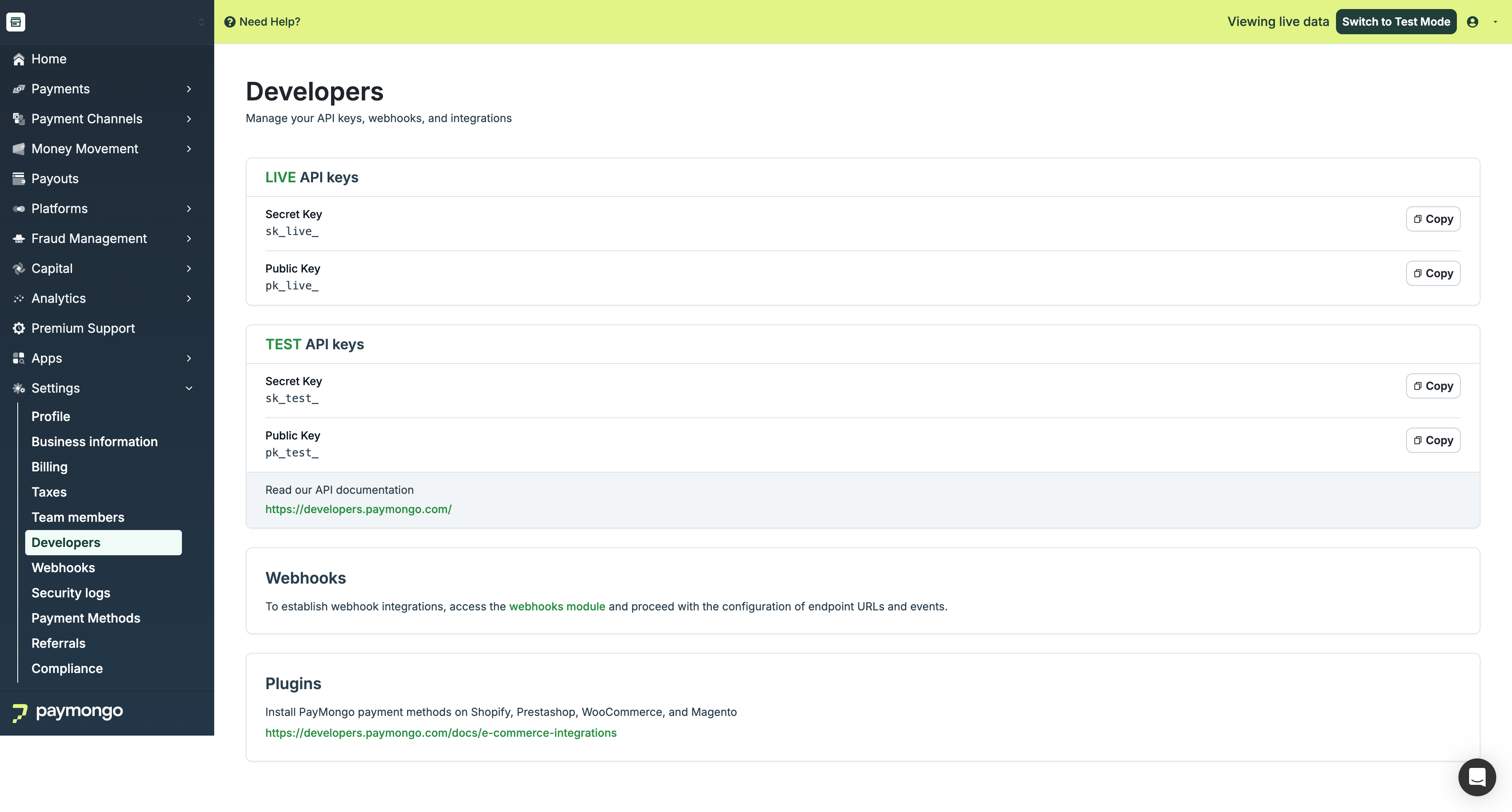
Developers
First things first, read through our API documentation. Developers and non-developers can take a look at the documentation as this site contains all of the resources and keys that you'll need to integrate your website or even your apps!
You might wonder why your account can only view Test API keys, we've heard that from several merchants. You can just toggle the 'Viewing live data' button to view your live keys.
🤫 Quick Tip:
You can quickly check if you are using the correct keys by checking the first 4 characters.
Live API Keys:
pk_live
sk_live
Test API Keys:
pk_test
sk_test
Regenerating your API keys
You may now regenerate your API keys as part of our initiatives to improve your account's security.
Step 1: Click Edit and Regenerate your API keys
Step 2: Confirm that you would like to regenerate your API keys.
Step 3: Input the OTP sent to your registered e-mail address or mobile number.
You have successfully regenerated your API keys! You can also see the date and time you have last updated or regenerated your API keys.
IMPORTANT NOTE: If you have a current website or application that uses the old API keys, update them to the new keys to continue accepting payments.
Only the following roles can view API keys:
- Account Owner
- Admin role
Test Mode Features
What You Can Test
- Payment flows
- Webhook integrations
- Error handling
- API responses
Test Credentials
Use PayMongo's test credentials:
| Payment Method | Test Details |
|---|---|
| Card | 4343 4343 4343 4345 |
| E-Wallet | Simulated approval |
| Bank | Test bank accounts |
Test Limitations
- No real money processed
- No actual bank transfers
- Simulated responses
Integration Resources
API Documentation
- Complete API reference
- Code examples
- SDKs and libraries
Sandbox Environment
- Full test environment
- No real transactions
- Safe for development
Webhooks
- Event notifications
- Real-time updates
- Retry mechanisms
SDK Libraries
Official libraries available:
| Language | Library |
|---|---|
| PHP | paymongo-php |
| Node.js | paymongo-node |
| Ruby | paymongo-ruby |
| Python | paymongo-python |
Developer Support
Getting Help
| Resource | Description |
|---|---|
| Documentation | Comprehensive guides |
| API Reference | Technical details |
| Support | Developer support team |
| Community | Developer forums |
Debugging
- Check API logs
- Review error responses
- Test in sandbox first
- Contact support for complex issues
Best Practices
| Practice | Recommendation |
|---|---|
| Start in test | Develop in test mode first |
| Secure keys | Protect your secret keys |
| Handle errors | Implement error handling |
| Use webhooks | Don't rely on polling |
| Stay updated | Monitor API changes |
Feel free to reach out to [email protected] if you have questions about the Developers section!
Updated about 1 month ago